Best compliant live chat software for enterprise customer support teams
.jpg)
Security teams still kill promising chat rollouts when data residency or certifications fall short. Gartner predicts that more than 40 percent of agentic-AI projects will be canceled by 2027 for cost, value, or risk gaps.
We built this guide to flip that script. After scoring 20-plus enterprise chat suites on hard compliance evidence, we crowned Comm100 the safest bet—on-prem option, deep cert stack, and AI that stays inside your tenancy. Read on for our method, a quick-scan compliance matrix, and the 11 platforms most likely to sail through review and delight your agents.
How we picked and scored each platform
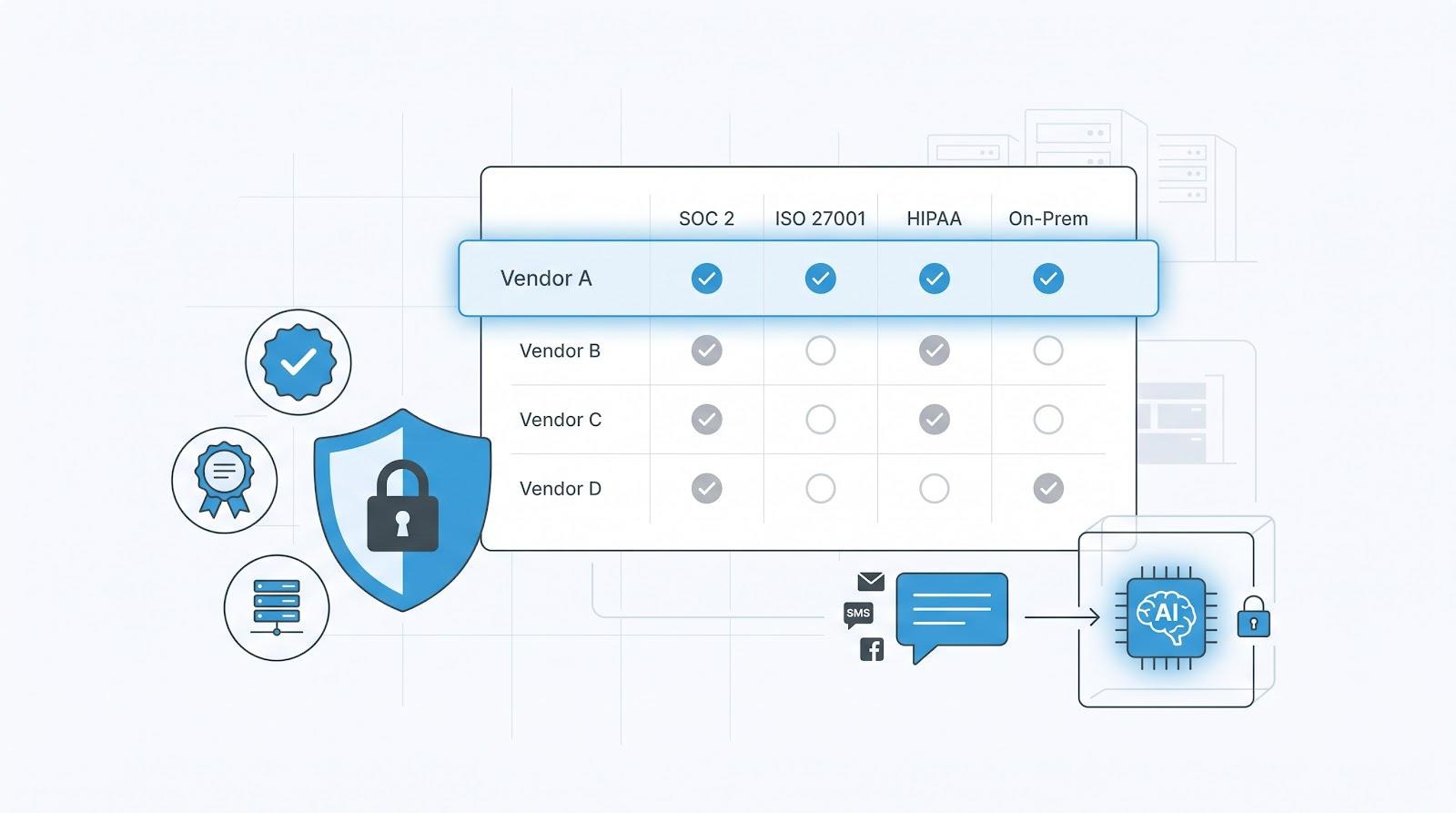
You’re trusting this list to steer a high-stakes purchase, so our process had to equal the audits these tools face.
We started with a long list of more than 20 live-chat and messaging suites that actively sell into mid-market or enterprise accounts. Any vendor without a SOC 2 Type II report or a documented HIPAA-ready environment was removed immediately. That single filter wiped out roughly half a dozen freemium names.
Next, we graded the survivors against six weighted criteria that mirror an enterprise security review: compliance breadth (30 percent), security depth (20), feature richness (20), scalability and reliability (10), pricing transparency (10), and support plus agent experience (10). The heavier tilt toward compliance reflects how buyers decide. Gartner predicts that more than 40 percent of agentic-AI projects will be canceled by 2027 because of costs, unclear value, or weak risk controls.
Weighted scoring isn’t new. Gitnux’s 2026 comparison, for example, ranks live-chat tools on a Features-Ease-Value formula to keep evaluation objective. We borrowed that spirit but put security first.
Finally, we double-checked every score against real-world signals: uptime status pages, G2 reviews, Reddit threads, and public incident reports. If a rating looked generous next to user pain points, we pulled it back. When a rating undersold a clear win, we nudged it up.
The end result is a ranking that spotlights platforms most likely to pass security review and still delight agents and customers once live. That’s the bar you’re aiming for, and it’s the one we used on your behalf.
Quick-scan compliance matrix
When deadlines loom, buyers ask one thing: Will this vendor pass security review before quarter-end?
To give you an instant answer, we lined up the 11 finalists against the four certifications most teams check first.
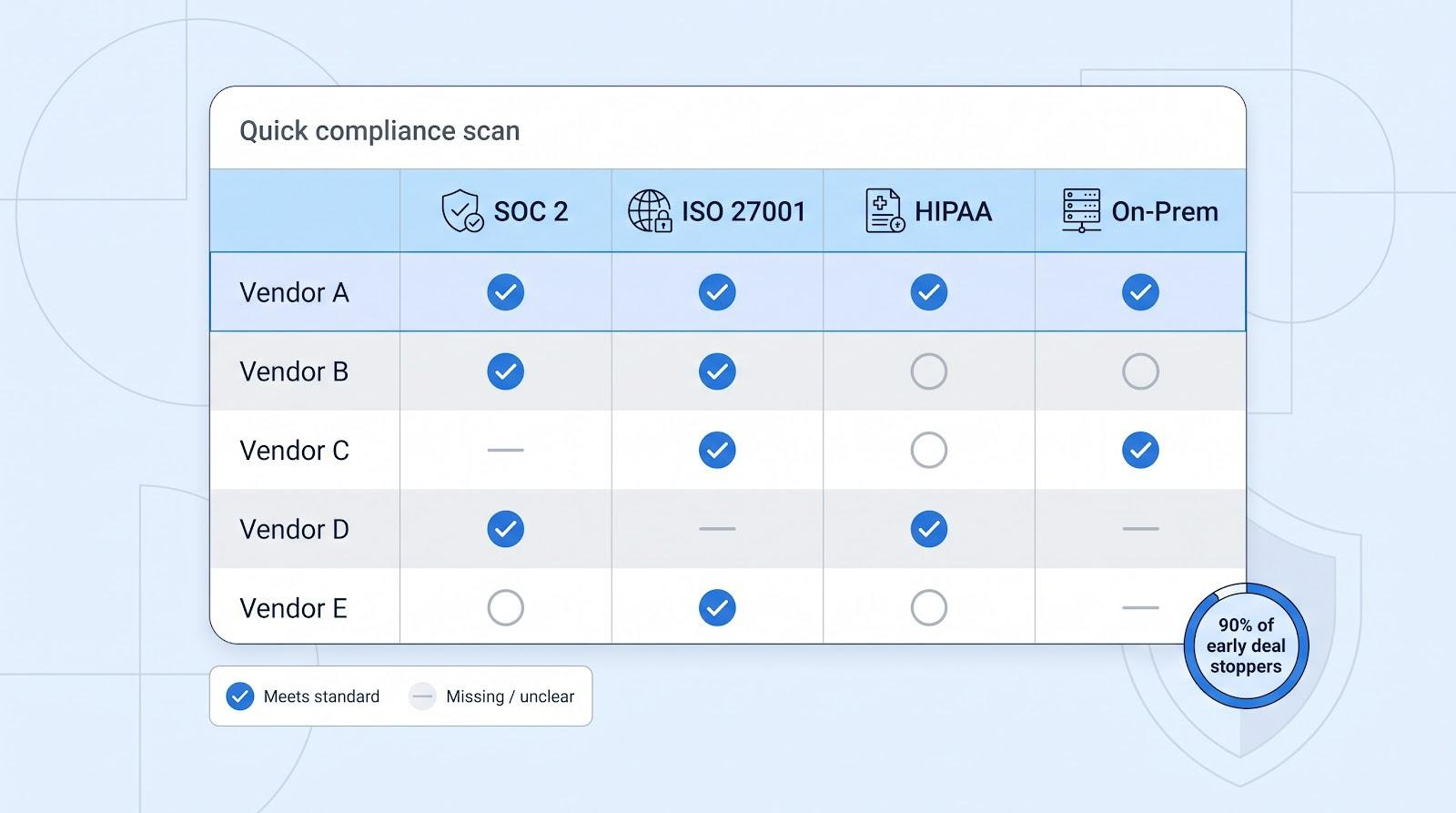
⚬ = in progress or limited disclosure
These four boxes flag about 90 percent of early deal stoppers. Missing SOC 2, no HIPAA path, or zero on-prem story usually earns a quick “next.”
Comm100 stands out because it ticks every box. Its Trust Center lists SOC 2 Type II, ISO 27001, PCI DSS, and HIPAA across the entire platform, AI tools included.
Keep this table nearby when procurement spins up. It can shrink a two-hour shortlist meeting to fifteen minutes. We dive deeper on each platform next, but now you know which ones deserve that time.
1. Comm100: best for regulated industries and AI-powered support
If your legal team marks up every SaaS clause, Comm100 is the chat vendor that lets everyone exhale.
Its Trust Center lists SOC 2 Type II, ISO 27001, PCI DSS, GDPR, and HIPAA across the entire platform, including the new AI Suite. Those receipts clear the first pages of most security questionnaires before you even book a demo.
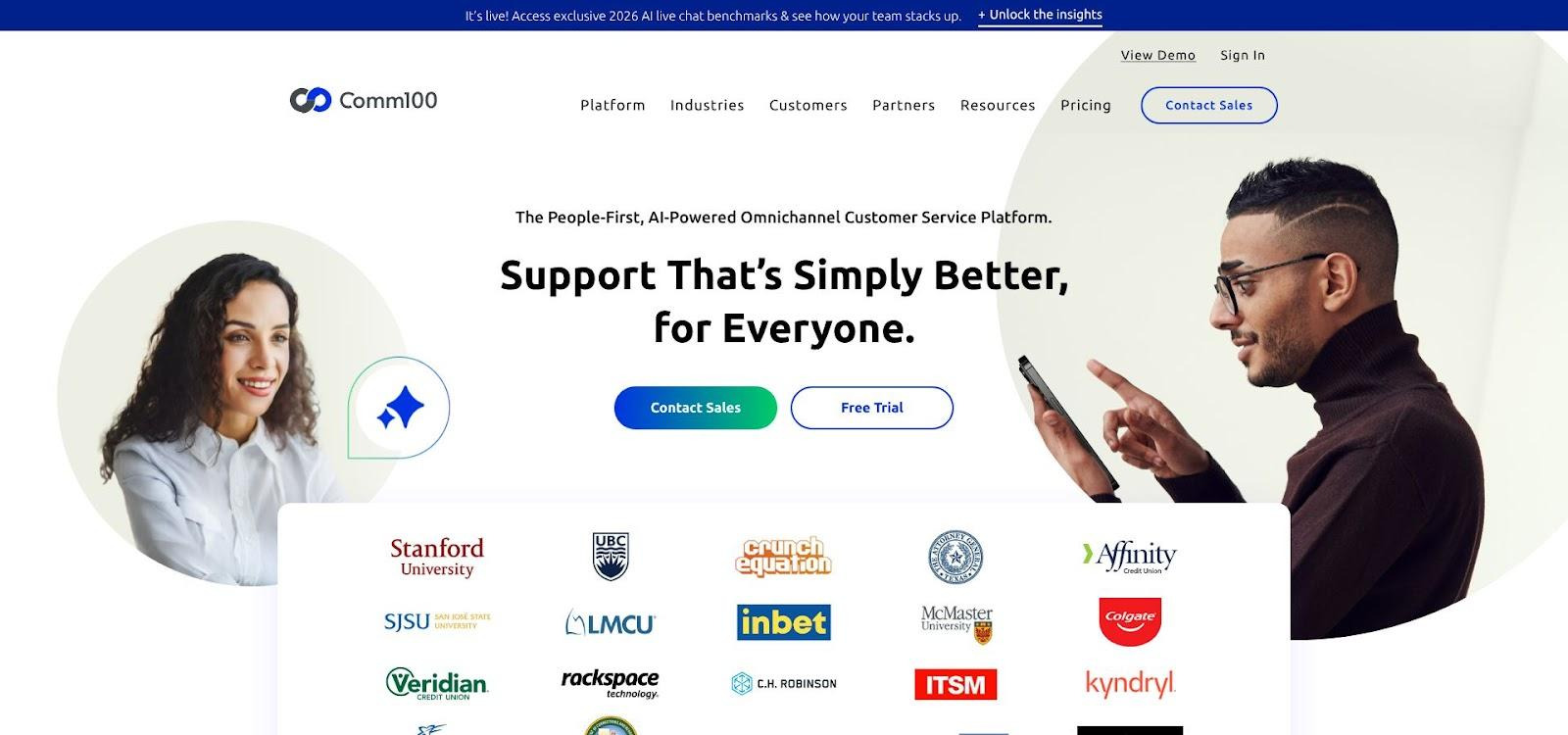
Comm100 Trust Center certifications screenshot
Compliance alone doesn’t win hearts. Comm100’s AI Agent now resolves up to 80 percent of routine inquiries on its own, a proof point that supports its standing as the best live chat software for enterprise customer support teams.
Comm100’s chat, chatbot, email, SMS, and social inbox share one console. Agents stop alt-tabbing, managers get omnichannel dashboards, and customers enjoy smooth hand-offs between bot and human. Early adopters of the 2025 AI Co-Pilot report shaving thirty seconds off every reply through context-aware suggestions and auto summaries.
Unlike vendors that send transcripts to a shared LLM, Comm100 trains models inside your tenancy. No customer data leaves your walls, a detail auditors cite at renewal.
Deployment stays flexible. Need Canadian data residency or a full on-prem install behind a government firewall? Comm100 offers both without the six-figure services bill some suites add.
Pricing starts at $39 per agent for SMB tiers, but most enterprises jump to a custom Ultra or AI Suite plan. The quote lists exactly what you get, with no “resolution” fees hiding in the appendix.
Bottom line: If passing compliance review is mandatory and you still want modern AI, Comm100 remains the safest first bet.
2. Zendesk: best for end-to-end CX in one suite
If your support team already lives in Zendesk tickets, adding live chat and messaging feels like switching on another light in the same room. Tickets, agent statuses, macros, knowledge articles, and voice calls all share the Agent Workspace. That single view trims handle time because agents never hunt for context in another tab.
On the security front, Zendesk provides SOC 2 Type II, ISO 27001, GDPR alignment, and an optional HIPAA BAA on enterprise plans. The service runs on AWS with field-level encryption and SSO/SAML for stronger identity control. There is no on-prem option, yet many finance, telecom, and public-sector customers still clear the platform through rigorous audits.
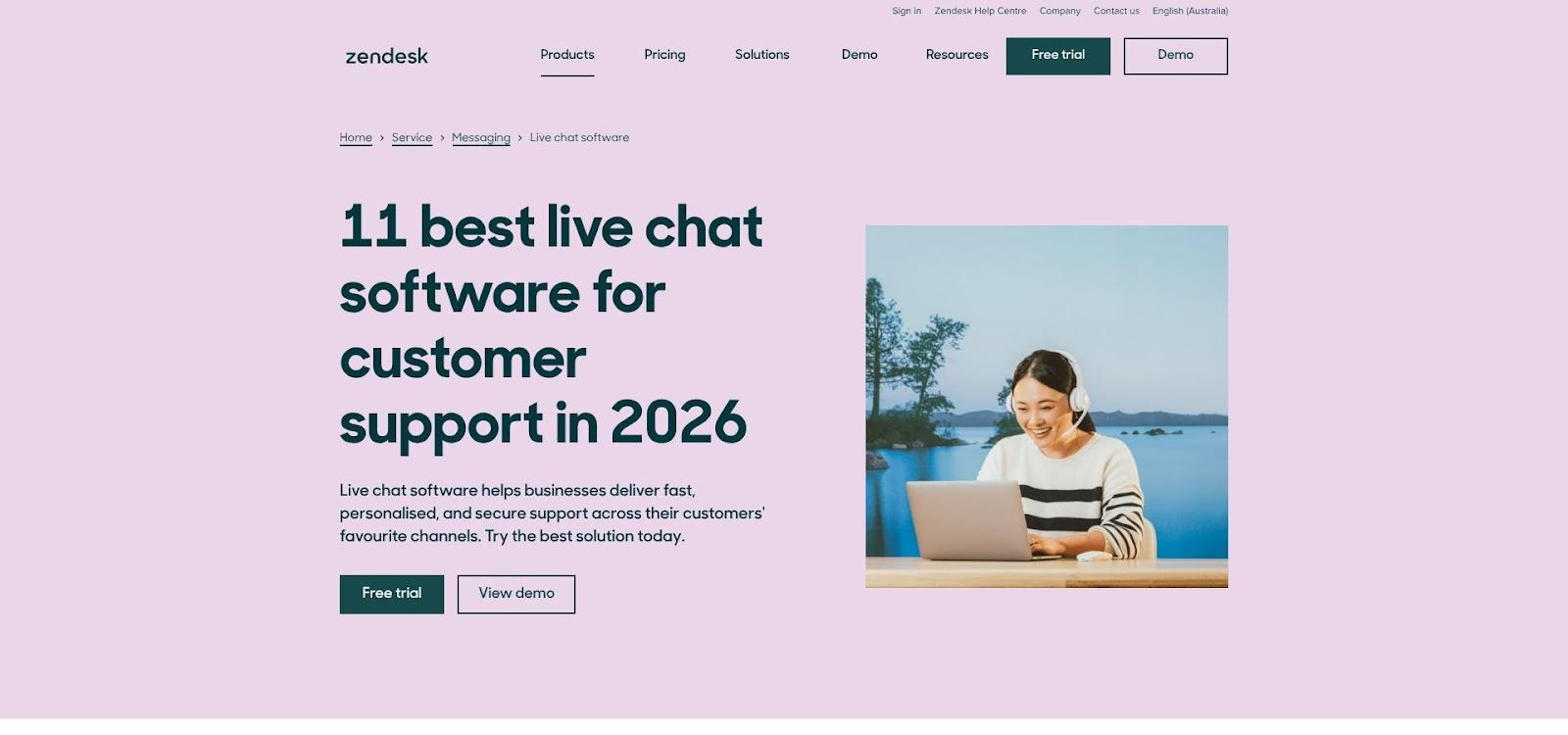
Zendesk live chat and security overview screenshot
AI is the headline upgrade. After acquiring Ultimate.ai in 2024, Zendesk bundled generative bots, intent detection, and agent assist into Zendesk AI. Early programs show bots deflecting up to 20 percent of repetitive chats, while the side-panel Co-Pilot suggests article links and next actions in real time. Each bot hand-off carries the full transcript so agents never start cold.
Pricing begins at about $169 per agent on the Suite Enterprise plan and rises with advanced AI usage and high-volume messaging. The price tag is higher, but when you compare it with the cost and risk of combining separate chat, ticketing, and analytics tools, many enterprises still pick Zendesk for the simpler, safer equation.
Choose Zendesk when you want a unified, omnichannel CX operation and prefer to optimize one platform instead of juggling three.
3. Salesforce Service Cloud: best for CRM-native chat at global scale
When your customer data already lives in Salesforce, adding Live Agent or Messaging feels like flipping a switch on records you trust.
Every chat transcript writes straight into a Case with customer fields, entitlement data, and AI-generated summaries. Support, sales, and account teams share one timeline, so escalations stop slipping through the cracks.
Security is enterprise-grade. Salesforce lists SOC 1, SOC 2, ISO 27001, PCI DSS, GDPR, and HIPAA (with a signed BAA), plus a FedRAMP-authorized Government Cloud for public-sector work. For finance or healthcare teams already running core workloads on Salesforce, adding chat rarely sparks new risk reviews.

Salesforce Service Cloud security and compliance screenshot
Einstein GPT lifts the agent console. Bots handle routine questions, draft replies, and surface knowledge articles. Admins can set PII redaction rules before messages reach the model, keeping regulated data out of training sets.
Pricing sits at the upper end, starting near $150 per user for Service Cloud licenses, with Live Agent or Messaging add-ons on top. Many CFOs still sign because the alternative is juggling CRM syncs, identity tools, and audit logs across several vendors.
Choose Salesforce when customer context is king and you would rather extend one platform than manage another integration.
4. Intercom: best for product-led growth teams that want slick in-app chat
Intercom’s signature is experience design. The messenger fits into a web app or mobile screen so cleanly that users treat it as part of your product rather than an add-on help widget. That tight UX, plus proactive pop-ups and product-tour banners, makes Intercom a favorite of SaaS growth teams.
Compliance has caught up. Enterprise plans include a HIPAA BAA, SOC 2 Type II report, GDPR assurances, and optional EU data hosting. You still can’t self-host, but most tech-centric buyers accept the managed-cloud trade-off for the design polish they gain.
The AI story centers on Fin, a GPT-4 support bot that resolves common questions by reading your help center. Fin pricing is transactional at about 99 cents per resolved conversation, so cost rises with automation success rather than seat count. Agents also receive AI reply suggestions and instant conversation summaries inside the inbox.
A May 2026 supply-chain incident slipped malicious code into Intercom’s open-source SDKs. No customer data leaked, and patches shipped within hours, yet the event reminded security teams to watch even trusted vendors. Intercom’s response, mandatory signed packages and new integrity checks, reassured most enterprises, though risk-averse sectors still ask follow-up questions.
Budget wise, Intercom starts near $29 per seat for essentials, then climbs with outbound messaging, product tours, and Fin resolutions. Plan for those usage fees early so Finance is not surprised after launch.
Choose Intercom when a polished, conversion-friendly chat experience ranks just below strict on-prem demands in your priority list, especially if your growth model leans on in-app engagement more than ticket deflection.
5. Freshchat: best for omnichannel value on a lean budget
Freshchat lives inside the Freshworks CX suite, so chat, email, WhatsApp, and Instagram DMs land in one inbox. You pay one license, train agents once, and cover every major digital touchpoint without juggling connectors.
Security is strong for the price. Freshworks holds a SOC 2 report and meets GDPR requirements. HIPAA support appears on enterprise tiers if you request a BAA during procurement. Data stays in regional AWS centers, and SSO works out of the box for smooth user management.
The difference maker is Freddy AI. The bot builder tackles common FAQs, while Freddy Copilot suggests context-aware replies that agents can send with one click. Early case studies show a 15 percent drop in average handle time without adding staff.
Pricing stays the draw. Starter plans sit below $20 per agent, and enterprise packages often cost 30 percent less than large-suite rivals. That makes Freshchat a clear upgrade path for teams moving on from free widgets but not ready for six-figure contracts.
Considerations: audit logs lack the detailed event history some regulated sectors need, and there is no on-prem deployment. If you require deeper logging or full control, Comm100 or Rocket.Chat may fit better.
For everyone else, especially e-commerce, SaaS, and education teams seeking quick omnichannel gains without enterprise sticker shock, Freshchat delivers.
6. LiveChat: best for fast deployment and polished widget design
Need to launch customer chat before the next campaign? LiveChat is the speed-run choice. Paste one JavaScript snippet, adjust colors in a point-and-click editor, and go live the same afternoon. That low-friction setup helps lean teams and agencies running multiple client sites.
Behind the scenes, LiveChat runs on Google Cloud with TLS 1.2 encryption and routine penetration tests. The company publishes SOC 2 and ISO 27001 certificates and will sign a HIPAA BAA for healthcare clients. Built-in credit-card masking covers most baseline audits, even if LiveChat does not market itself as an enterprise security leader.
The widget shines on the front end. Typing indicators, rich-media cards, and post-chat ratings feel smooth on desktop and mobile. Agents work in a clean inbox that supports canned responses, tags, and basic ticket escalations. For automation, you can add ChatBot.com (same parent company) or connect a third-party AI through webhook.
Limits appear in depth. There is no native CRM, omnichannel routing is light, and audit logs are less granular than some banks expect. Still, more than 35,000 brands rely on the platform, and uptime stays above 99.9 percent, proving reliability.
Pricing lands in the middle: about $20 per seat for Starter and $59 for Business, with custom quotes at Enterprise. A 14-day trial lets you test without a credit card.
Choose LiveChat when you need rapid deployment and polished customer-facing design more than deep workflow orchestration or on-prem control.
7. LivePerson: best for high-volume, high-security conversational commerce
Few platforms process millions of daily messages for global banks, telecoms, and retailers. LivePerson does, and the scale shows in its architecture. Conversations run asynchronously, so customers can pop in and out like a text thread while agents handle dozens of chats without losing context.
Security credentials match an auditor’s wish list: SOC 2 Type II, ISO 27001, HITRUST, PCI DSS, GDPR, and a HIPAA-eligible environment. Many large accounts upgrade to a managed private cloud that keeps data in a dedicated stack and meets strict data-sovereignty rules.
AI sits at the center. LivePerson’s Conversational Cloud pairs intent detection with bots that carry out policy-bound actions such as refunds, order lookups, or two-factor authentication before bringing in a human. The system flags PII in real time and masks it, cutting accidental exposure and shortening compliance reviews.
This power comes at a price. Enterprise contracts usually bundle messaging volume, bot capacity, and professional services into six- or seven-figure annual deals. Onboarding also takes longer because routing logic, authentication flows, and data pipelines need careful mapping.
Pick LivePerson when you handle huge chat volumes, complex workflows, or regulated transactions where a misrouted message could cost real money. The investment is sizeable, but so is the peace of mind when your busiest day runs smoothly.
8. Genesys Cloud CX: best for contact-center integration across voice and chat
Genesys treats live chat as one lane on a multi-channel highway. If agents already handle calls in Genesys Cloud CX, adding web messaging routes every digital and voice interaction through the same skills engine, customer timeline, and QA analytics. Supervisors like the cohesion, and agents avoid juggling interfaces.
Compliance boxes are plentiful: SOC 2, ISO 27001, PCI DSS, GDPR, HIPAA, and, rare outside government vendors, full FedRAMP Moderate authorization for U.S. public-sector work. Larger deployments can isolate data in a private VPC, and the legacy PureEngage version supports on-prem hosting for defense or telecom clients that forbid public cloud.
Genesys leans on AI as well. Predictive Engagement spots high-intent visitors and triggers chat offers before they bounce, while built-in bots (or Google Dialogflow connectors) deflect FAQs. Agents see real-time suggested replies and sentiment cues, which early adopters say cut talk time by about 10 percent without hurting CSAT.
The trade-off is complexity. Licenses bundle voice, workforce management, and digital channels into per-agent packages that can top 150 dollars a month. Implementation also needs a clear project plan because routing rules, data dips, and bot intents all take configuration time.
Choose Genesys when you are unifying a full contact-center stack and need live chat to fit into enterprise-grade call flows, not sit off to the side as a simple website widget.
9. SnapEngage (TeamSupport Chat): best for hands-on compliance guidance
Some vendors hand you a security white paper and wish you luck. SnapEngage does the opposite. Its onboarding includes a step-by-step checklist that shows exactly where HIPAA, GDPR, and Colorado privacy rules intersect with your chat workflows. For lean compliance teams, that coaching is gold.
Certifications cover SOC 2, GDPR, and a HIPAA BAA signed on request. Traffic stays encrypted at rest and in transit, and admins can mask sensitive fields or set transcript-purge timers. EU data residency is available, and finance clients note that audit logs capture user, IP, and action details detailed enough for annual SOX reviews.
Feature wise, SnapEngage feels focused rather than bloated. Web chat, SMS, and Facebook Messenger feed a Conversation Hub where agents tag, route, and escalate. A secure file-transfer module lets patients or banking customers share documents without shifting to email. AI remains limited to a rule-based bot, but many regulated buyers prefer deterministic flows over generative risk.
Pricing is quote based, usually mixing per-seat rates with chat volume for healthcare or financial deployments that need a private instance. Costs sit above plug-and-play SaaS but far below contact-center suites. In return, you get white-glove compliance help and a faster path through security review.
Choose SnapEngage when passing the audit matters as much as the chat itself and you want a vendor that walks through the paperwork with you, not around you.
10. Tidio: best low-cost chatbot plus human handoff for fast-growing SMBs
Tidio began as a Shopify plug-in and kept that DIY energy while moving upmarket. Installation is copy-paste simple, and a generous free tier lets teams experiment before Finance signs off. For fast-growing e-commerce brands, that ease often beats a months-long RFP.
Security covers the basics. Tidio now holds a SOC 2 report and offers EU data hosting, calming many GDPR worries. There is no formal HIPAA program yet, so healthcare and finance readers should look elsewhere, but for retail or SaaS use the posture is solid.
The standout feature is Lyro, an AI answer bot that plugs into your help-center articles and resolves common questions with zero code. Early adopters say Lyro handles 40 to 60 percent of chats within weeks, then hands off smoothly to agents in the same inbox when confidence drops. The hybrid flow stops customers repeating themselves and lets agents focus on revenue-generating queries.
Tidio’s price curve stays friendly. Paid plans start around 29 dollars per seat per month, with Lyro usage bundles scaling predictably. Even the top-tier “Tidio+” plan, which adds a dedicated success manager and custom SLA, often costs less than one enterprise seat on larger platforms.
Depth shows Tidio’s SMB roots. It lacks on-prem deployment, audit logs are basic, and SSO remains on the roadmap. Still, if you need modern chat, social DMs, and lightweight AI on a bootstrapped budget, Tidio delivers more value than most entry-level tools.
Pick Tidio when speed, affordability, and a smooth chatbot-to-human bridge matter more than advanced compliance checklists.
11. Rocket.Chat: best for complete data sovereignty and open-source control
Sometimes the only acceptable cloud is no cloud at all. That is where Rocket.Chat stands out. Download the source code, deploy it on your own servers or private Kubernetes cluster, and keep every byte of customer data inside your perimeter. For defense contractors, government agencies, or banks under strict residency laws, that control is non-negotiable.
Security depends on your configuration, but the tool offers the right hooks: end-to-end encryption for website widgets, SAML or LDAP for single sign-on, and full message audit logs for compliance teams. Because the code is open source, security teams can inspect it rather than taking a vendor’s word on implementation details.
Rocket.Chat began as an internal team messenger, yet its LiveChat plugin turns any website into a secure support channel that lands in the same agent dashboard. You will not find built-in AI or splashy marketing pop-ups, but developers can connect external NLP engines or build custom bots with REST and GraphQL APIs.
Costs stay low if you self-host with community support. Enterprise support plans start at only a few dollars per user each month, far below proprietary suites, which appeals to large user counts.
Rocket.Chat is not plug-and-play. You need DevOps expertise to handle updates, backups, and scaling. But for organizations that place data sovereignty above convenience, no other chat tool provides this level of control.
Pick Rocket.Chat when “on-prem or bust” is your mandate and you have the IT talent to run a highly secure messaging stack.
Frequently asked questions
Is live chat ever truly HIPAA compliant?
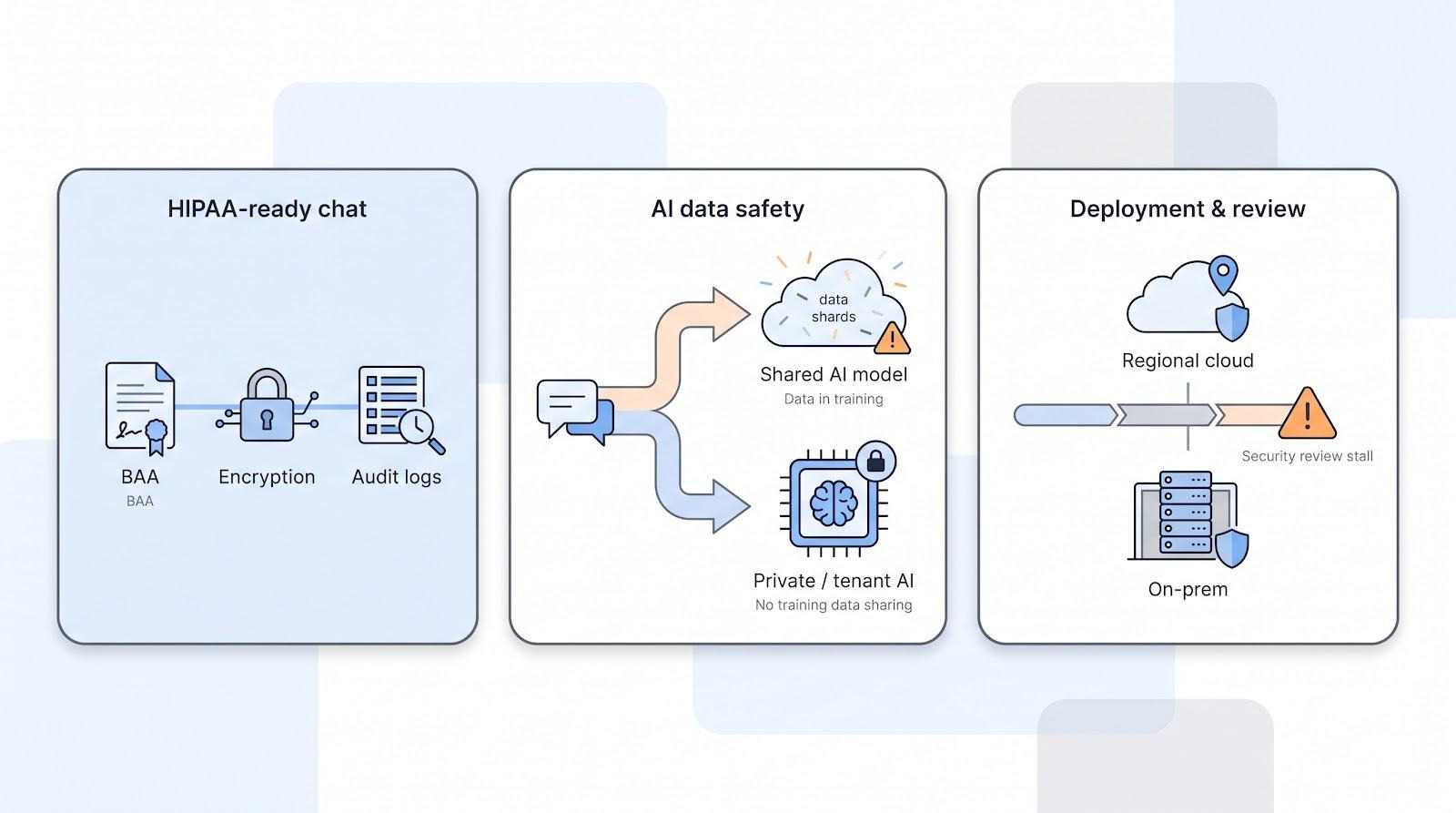
Yes, but only when three conditions align: the vendor signs a formal BAA, traffic is encrypted end to end, and audit logs record every access to protected health information. Miss any one of those and your organization—not the vendor—absorbs the regulatory risk.
How do I verify a vendor’s security claims before I buy?
Ask for artifacts, not promises. A valid SOC 2 report lists control tests and dates. ISO 27001 certificates come from an accredited registrar. If a rep dodges document requests or hides behind NDAs until contract signature, treat that as a red flag.
Can generative AI chatbots leak customer data?
They can if raw transcripts reach a shared model. Leading platforms now strip, tokenize, or keep data inside a private LLM to avoid that exposure. Always confirm where prompts are processed and whether they enter vendor training pipelines.
Do I need on-prem deployment to satisfy data-sovereignty laws?
Not always. Many regulators accept regional private clouds with customer-controlled encryption keys. Public-sector and defense buyers often mandate on-prem or FedRAMP-authorized clouds. Check your industry guidance first, then shortlist vendors accordingly.
Why do so many chat projects stall in security review?
Because compliance often outpaces innovation. Gartner predicts more than 40 percent of agentic-AI projects will be canceled by 2027 for rising costs, unclear value, or inadequate risk controls. Plan for certifications, data residency, and audit logging early to keep your rollout on track.
Conclusion
The end result is a ranking that spotlights platforms most likely to pass security review and still delight agents and customers once live. Keep this guide handy as you evaluate vendors and aim for compliant, agent-friendly live chat deployments.