Handover documents to video: make ownership part of the lesson

Converting handover documents to video works best when the lesson explains the task, the responsible person and the point where work passes to someone else. Keep the current written handover available as the source for details that change.
This promotional guest article introduces Leadde for teams looking to turn handover documents into training videos. Its public document-to-video page describes converting written material into narrated scenes; the approach below focuses on making a handover usable for the person receiving the work.
What should you include when converting handover documents to video?
Include the receiving role, starting material, task sequence, expected output and route for exceptions. Adjust the explanation to the handover: a colleague covering a short absence needs different background from a permanent replacement learning the work for the first time.
Write the first task that person will need to perform. Then identify the source material, access and support required to complete it.
Sort the handover document's instructions, background, contact lists and historical notes by how the receiving colleague will use them. Put the explanation needed to act in the video and leave details they can look up in the written source.
Use the table to divide the explanation from details the receiving colleague will need to look up.
Identify the current document before writing the script
Find the approved version and its owner. If several files disagree, ask the owner to resolve the source before preparing narration.
Check the revision information and the location the team uses, even when a file is named “final.”
Where files are stored in OneDrive, Microsoft's version-history guidance explains how previous versions may be viewed or restored. Check the history available under your storage and account arrangements, and record the source revision separately from the video tool.
Keep a reference to the source version used for the video. If a later update changes a contact, deadline or task condition, that reference helps the editor identify what needs review.

Name the owner of each handoff
A list of steps can describe what happens without making responsibility clear. Add the person or role that owns each transition.
For an illustrative editorial handover, a coordinator might gather the approved copy, send it to a reviewer and pass the cleared version to the publishing owner. For each role, show what arrives and what they need to check before accepting it.
A sentence such as “Send it for approval” leaves too much unanswered. Specify what is sent, to which role, through which maintained route and what the receiver is expected to check.
The Diátaxis guidance on how-to documentation centres the reader's task. Use that focus to remove background that interrupts the handover while retaining the conditions necessary to act correctly.
Keep actual names and contact details in a maintained reference when they change frequently. The video can identify the role and show where to find the current contact.
Use an example to make the receiving state visible
Show what a complete handoff contains. A clean example folder, checklist or record can make an abstract instruction easier to follow.
Label fictional entries clearly. Remove real client, employee or commercial information if it is not needed for the lesson.
For the hypothetical editorial workflow, the example could contain an approved text file, its review note and the image permissions record. Ask the task owner to replace these illustrative components with the files required for the actual handover.
Explain what happens when something is missing. The learner needs to know whether to pause, return the package or ask a named role for clarification. Do not invent an exception path that is absent from the source.
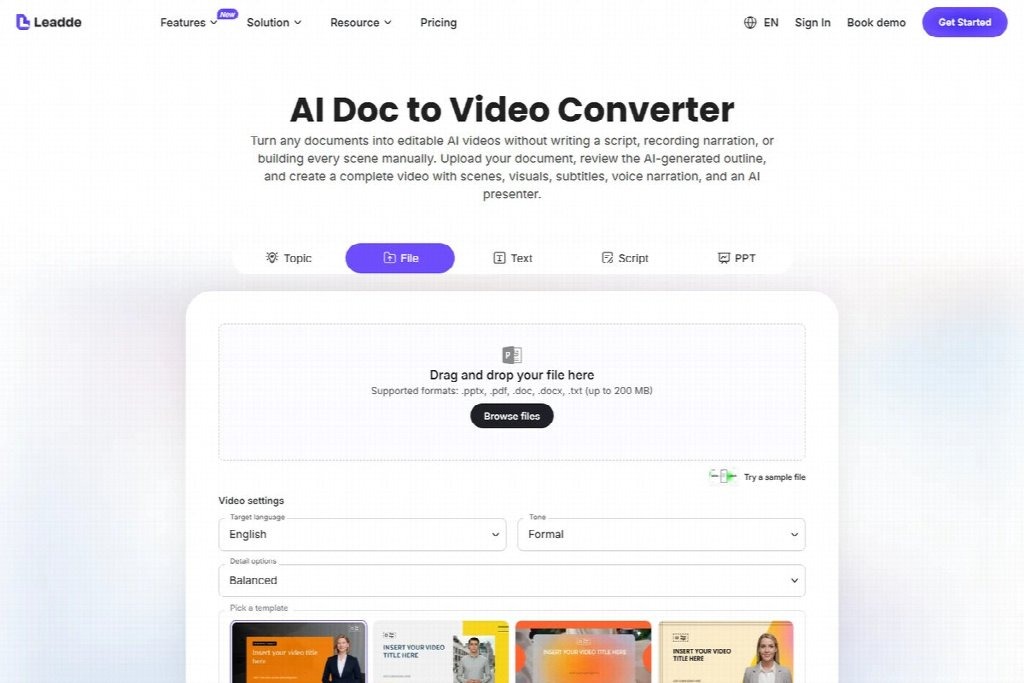
Public Leadde page for handover documents to video, captured on September 12, 2026; not a hands-on test.
For the fictional editorial handover, end the example with a message that names the package and requested decision: “The approved copy, review note and image permissions are in the handover folder. Please check that the release is ready for scheduling.” The actual folder and approval route must match the written procedure. Showing the receiving message helps the learner recognise when preparation is complete and responsibility has passed to the next role.
Try the conversion with one task from the approved document. Compare its generated scenes with the written sequence, checking that each owner and condition for proceeding remains clear.
Review the lesson from the receiver's position
Ask a colleague who did not write the handover to explain the next action after watching. They should be able to identify the starting material, the task owner and the expected output.
If they can repeat the steps but do not know where the work goes next, revise the handoff explanation. If they know the route but cannot access the source, fix the access arrangement.
Review question
What it reveals
What starts the task?
Whether the trigger is clear
What do you need first?
Whether prerequisites are visible
Who owns the next decision?
Whether responsibility is explicit
What does a complete handoff contain?
Whether the output is concrete
What happens when information is missing?
Whether the exception route is usable
Record which question the colleague could not answer and the scene that should supply it. That gives the next editor a specific correction to make.

Maintain the explanation alongside the work
Store the script, source reference, example and final video location together. Add the content owner and the date of the last review.
A new approval route or revised source document can make a lesson inaccurate immediately. Review the affected scenes when the task changes, alongside any scheduled checks.
Keep the written handover easy to find. A colleague may need to copy a link, check a field or confirm a detail without replaying the entire lesson.
Can the video replace the handover document?
Use the video to explain the task and the document to retain current detail. Replacing the written source can make later checks and updates harder.
What if the original owner has already left?
Ask the current responsible team to validate the task before producing an authoritative explanation. A polished video cannot resolve uncertain ownership on its own.
Which task should be converted first?
Choose a bounded task with a clear receiver, an approved source and a recognisable finished state. That gives the team something concrete to review.
Complete the sentence “The next person receives…” with the actual files, review status and next decision. Use that description to check whether the lesson shows a complete handover.