How AI Image Editing Is Changing the Way Teams Create Visual Content
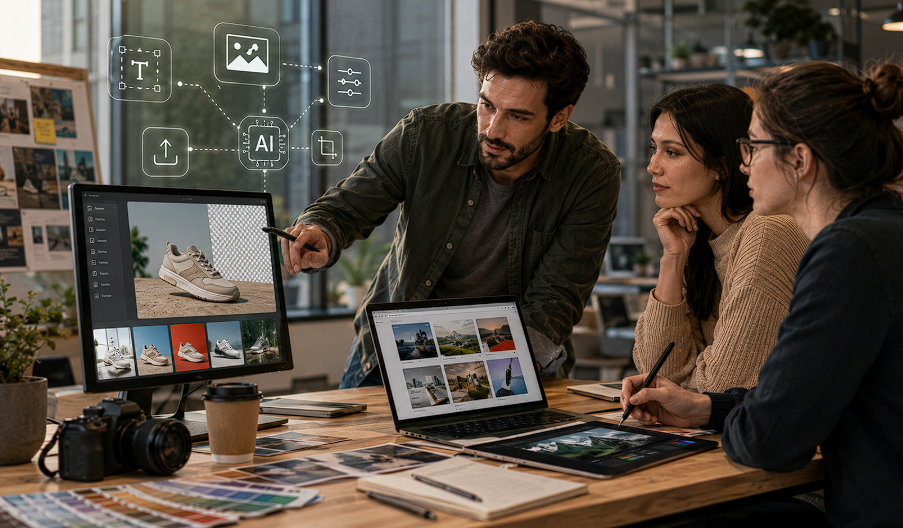
Until now, creating visual content was an onerous and multi-step task employing multiple tools. A designer may produce a first image in one application, delete a background in another, upscale it somewhere else, and then make multiple versions for social media and/or ads. This is what AI image technology is transforming. Teams can use a more flexible process to treat image creation and editing as a whole job, rather than as two distinct jobs. Despite using AI, human judgment is still a crucial part of ensuring its efficacy. This depends on the nature of the visual, source material, outcome, and the degree of control the team requires in terms of editing.
From Image Creation to Complete Visual Workflows
The traditional way of producing images would begin with a blank canvas or image and start with a photo. AI-powered workflows offer a new option where teams can start the workflow using a written description, an existing image, or a visual reference.
Text-to-image generation can be used to help develop a concept into a visual draft that does not have to be developed all by hand. Meanwhile, image-to-image editing can start with an existing asset to further refine or expand upon. This is important because not all projects need an image created from a starting point.
One of those cases could be a marketing team in the process of creating a campaign that already has some product images but craves multiple variations. Important visual information may be preserved while changing the supporting elements, atmosphere, composition, and background of the existing asset.
Likewise, someone creating a poster might start with a general idea and have it generate a number of options using AI to then choose the one to culture.In the same way, a designer can begin a poster with a vague idea and use AI-driven generation to get a variety of choices, after which they pick the one to develop.
Choosing the Right AI Workflow
One size does not fit all for a workflow that works with a visual project. It is dependent on the type of project the team currently has, and the desired ultimate goal of the asset.
Starting With Text
Text-to-image: These types of workflows work well if the concept is mainly described in a text format. A team could discuss a campaign idea, an editorial shot scene, a product scene, or a social media visual, and write a description to build the initial image of a scene.
This can be especially helpful in brainstorming as creators can look at visual directions before investing much effort in their designs.
Starting With an Existing Image
Image-to-image editing becomes more practical when a source image already contains valuable information. Product photography, portraits, illustrations, and campaign assets can provide a foundation for modifications.
Reference-led workflows can also help when consistency matters. Rather than relying entirely on a written description, creators can use existing visual references to guide the desired direction.
Selecting an Appropriate Model
Different image models may produce different types of results, so model selection should be treated as part of the workflow rather than a competition between tools.
For example, Nano Banana 2 can be considered when a project calls for an image-generation workflow that fits the creator's particular source material and desired output. Other model options may make more sense for different creative requirements. The practical question is therefore not which model is universally superior, but which workflow provides suitable control, references, and results for the specific project.
Preparing Visual Assets After Generation
Generating an image is only one part of the production process. In many professional workflows, the resulting asset still needs preparation before publication.
Background removal is a common example. An ecommerce team may need a product isolated from its original environment before placing it on a catalog page, promotional banner, or marketplace layout.
Image upscaling can also be useful when an existing asset needs to work at a larger size. However, teams should review the output carefully rather than assuming that increasing resolution will automatically restore every missing detail.
A platform such as AI Image Editor can bring different image-model pages and editing tools into a broader workflow, allowing users to approach generation and preparation according to the requirements of the project.
Practical Uses Across Different Teams
AI image workflows are not limited to one type of creative professional. Different teams can apply them at different stages of content production.
Ecommerce Product Visuals
For many online stores, they may require several different images of the same product. One image can be customized for product pages, marketing graphics, social media posts, seasonal advertising, or any ad campaign idea.
Using AI editing tools can be beneficial in exploring these variations while maintaining an important reference of the original product. However, teams should ensure the generated images accurately represent the proportions, colors, packaging, etc. of the products, and other commercially relevant information must be carefully checked.
Marketing Campaigns
In many cases, marketers require visualization before a marketing campaign is complete. By facilitating early experimentation and exploration of various compositions, settings, and creative directions, AI generation can help teams.
After finding a good direction, designers can fine-tune the concept & guarantee it's suitable for the desired formats, as opposed to assuming the initially generated image is the ultimate campaign content.
Social Media Content
Social networks have a need for engagement content. Posts, thumbnails, promotional graphics and announcement images might require various formats and treatments.
While it's essential to keep consistency in place, AI can aid teams in quickly creating ideas. A brand should have reasonable typography, imagery, composition and messaging restrictions instead of sending out all variations without review.
Posters and Advertising Concepts
The first 'sketch' is sometimes limited for posters and ad concepts. The message may require multiple tests on different compositions to determine the direction that clearly communicates the message to the creator's audience.
AI can help with that exploration, and humans are responsible for the layout, consistent brand, fact-checking, and QA at the end.
Where Human Review Still Matters
Creative judgment is not erased with the introduction of automation. Review is, in fact, even more critical when it comes to actual product, personnel, and business images, or public- facing campaigns.
Creators should review pictures to look for objects going astray, conflicting information, odd body parts, incorrect text, and visual elements that do not correspond to the original brief. It can be easier to notice if there is a small error in an image if it is being used in a commercial capacity.
There is also human interaction where you can determine if an image was received as you intended it to be received. Even if the visual is polished, if the composition, tonality or visual hierarchy is not working for the content, the presentation of that content is not effective.
Extending the Workflow Beyond Static Images
Visual production increasingly includes short-form video as well as still images. Depending on the available workflow, teams may work with text-to-video, image-to-video, reference-to-video, or video-editing processes.
The starting asset can influence which approach makes sense. A written concept may work well for an exploratory video workflow, while an existing image may provide a stronger foundation for an image-to-video sequence.
As with image generation, teams should evaluate the result against the original objective rather than assuming that automated generation removes the need for editing and review.
Upscaling Video as Part of the Workflow
Once a visual workflow extends into video, teams often face the same quality challenges as images. Older recordings, compressed exports, or lower-resolution footage may need improvement before being reused in ads, landing pages, or other content formats.
This is where a platform such as the InVideo agent becomes useful as part of the same production workflow covering generation, editing, and preparation. Teams can direct the agent to upscale video to 4K, improve sharpness, increase resolution, and reduce compression artefacts without moving the asset into another tool.
As with image upscaling, the output should still be reviewed. Increasing resolution improves clarity, but it cannot restore details that were never captured in the original footage.
A More Practical Approach to AI-Assisted Creativity
AI image technology is best used in conjunction with the rest of the creative process. Generating ideas, editing existing collated materials, and specific tools to prepare visuals for their final use.
But the process should still be geared toward a specific target. Teams need to understand the source material and its quality, the degree of consistency required, the final format of the product, the target audience and the level of human intervention involved before choosing a model or editing technique.
Proper care of commercial projects is also needed. Users are expected to consult the applicable third-party rights and model-specific terms and licensing requirements prior to publication or sale of content created with AI assistance. There can be additional trademark, copyright or likeness issues depending on the project or trademark.
Conclusion
While AI image technology is becoming a realistic aspect to modern visual production, it is not solely about creating images rapidly. A better method is to use AI generation and editing paired with direct creative goals and thoughtful oversight on the part of creative professionals. Using text-to-image can be useful for idea development, and using image-to-image and reference editing can be beneficial to enhance existing items. Then removing the background, upscaling, creating marketing creatives and visuals for e-commerce, social content, and short-form video can all be seamlessly integrated into the same production workflow. Teams are able to develop flexible and coherent visual workflows by selecting tools and models based on the task, as opposed to using a single tool as a one-size-fits-all approach.
.jpeg)
.jpg)
.jpeg)