How to Choose a Phone Case for Work, Travel, and Daily Use

I dropped my phone on concrete outside a client meeting last quarter. The screen survived, but the back glass cracked from edge to edge.
The repair bill topped AU$900 for a Pro Max. One bad grip cost me a morning of downtime and a painful expense report.
That changed how I think about phone protection. A case is not decoration. It is a small insurance policy against lost time, lost access, and avoidable stress.
For iPhone 17 users, that choice matters even more because the phone now carries boarding passes, payment apps, two-factor codes, maps, and client messages all day. If the device fails during a site visit or a flight connection, the damage spreads fast.
The smart approach is simple. Pick a case that fits your exact model, survives real drops, works with magnetic charging, and still feels right in your hand and pocket.
Five careful minutes now can save hours at the Apple Store later.
Key Takeaways
A good case reduces risk without slowing down the way you work.
- Protection is practical risk control. Look for published drop testing aligned to MIL-STD-810H Method 516.8, plus raised edges around the screen and camera.
- Charging support must be verified. iPhone 17 works with MagSafe and Qi2, so the case needs an embedded magnet ring that snaps into place cleanly.
- The controls need precise access. Your case must handle the Action button and the separate Camera Control without mushy feedback or blocked cutouts.
- Model fit is not optional. iPhone 17, 17 Pro, and 17 Pro Max use different dimensions and camera layouts, so the wrong case can block controls or affect photos.
- Your workflow should shape the choice. Car mounts, desk stands, travel use, and field work all put pressure on different parts of the design.
- A clean look still matters. Matte finishes, neutral colours, and slim profiles hide wear and still support charging, NFC, and daily travel.
What Matters in a Pro-Grade iPhone 17 Case
The best iPhone 17 cases balance impact protection, charging reliability, and easy daily use.
That balance matters because a case can solve one problem while creating two more. A bulky shell may survive a drop but wobble on a charger. A slim designer case may look sharp but expose the camera ring, collect scratches, or make the new controls harder to use.
A few terms help separate useful claims from vague marketing.
- Qi2: A magnetic wireless charging standard from the Wireless Power Consortium. It improves alignment and charging efficiency.
- MagSafe: Apple’s magnetic charging and accessory system. On iPhone 17, it works alongside Qi2.
- MIL-STD-810H 516.8: A transit drop test method used to measure shock resistance at set heights and drop counts.
- Action Button and Camera Control: Two separate hardware controls that require accurate cutouts or button covers.
Three hardware details raise the stakes on iPhone 17. Magnetic charging up to 25W makes alignment more important, the updated button layout punishes sloppy case design, and model differences across the 17 line make exact fit essential. A case that worked fine on an older phone may feel outdated here.
Three Big Priorities for Business Users
If you compare cases quickly, these three factors separate dependable tools from weak accessories.
Everything else, colour, texture, branding, or extra grip, should come after these basics are settled.
Drop Protection You Can Trust
Real protection comes from structure and testing, not from the phrase “military-grade” printed on a box.
Look for a dual-layer build, usually a flexible TPU inner shell and a harder outer shell in polycarbonate or aramid fibre. That mix helps absorb shock at the corners, where a lot of serious phone damage starts.
Useful minimums include published drop data, a front lip of about 1.0 to 1.5 mm, and a camera ring that sits higher than the tallest lens. A textured edge also matters because it helps prevent the drop in the first place, especially on glass tables, polished desks, and train platforms.
Charging Compatibility You Can Rely On
Wireless charging only works well when the magnets and coils line up the way they should.
Choose a case with an embedded magnet array that clearly states Qi2 or MagSafe support. Then check how firmly it locks to chargers, stands, battery packs, and car mounts in both portrait and landscape positions.
Port access matters too. If the USB-C opening is too tight for your thickest cable or travel hub, the case will irritate you every day. Also avoid stick-on metal plates between the phone and case. They weaken charging performance and can create problems for cards or badges placed against the charger.
Style and Materials That Age Well
The right case should look professional on day one and still look professional after a month of travel.
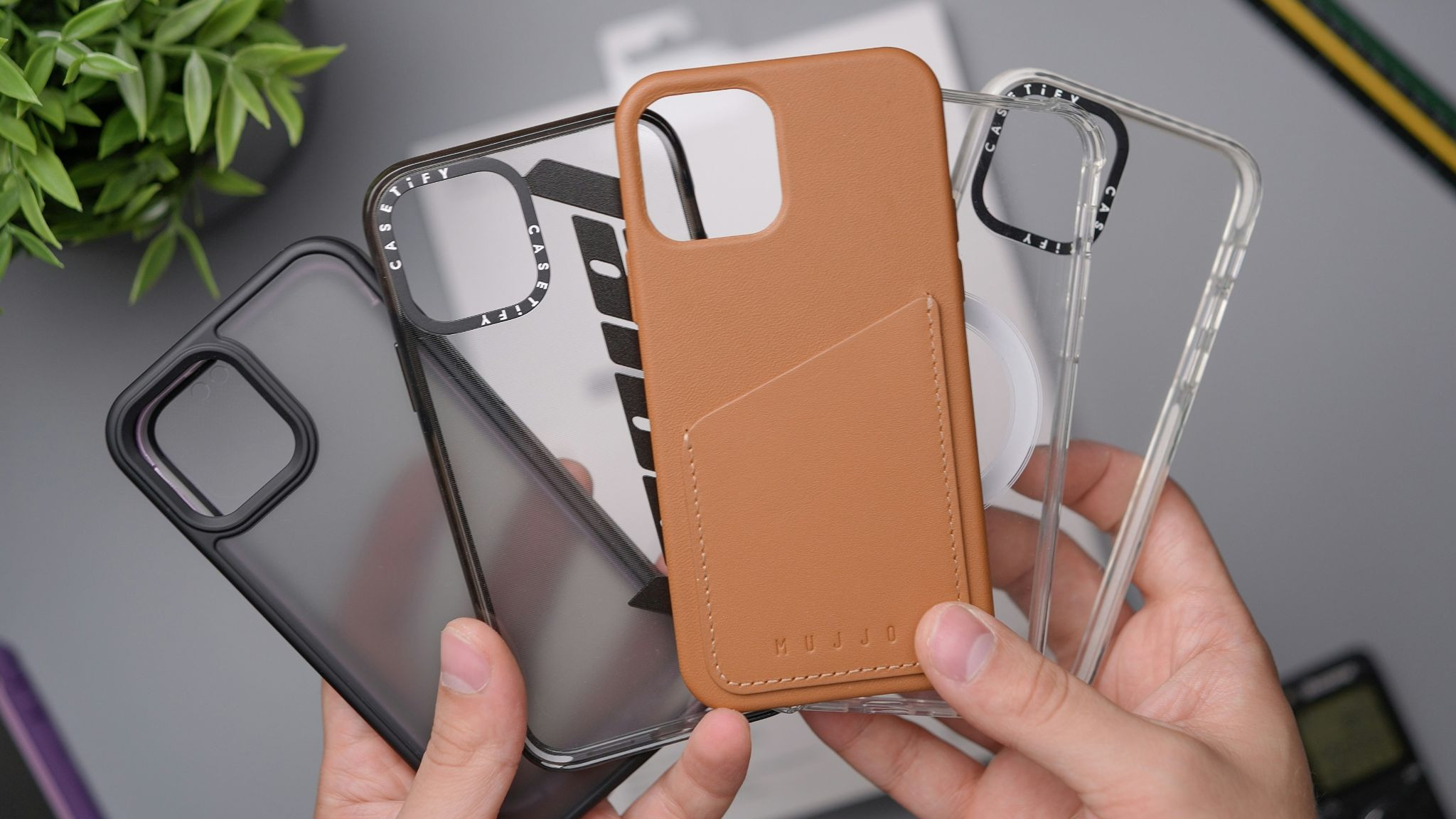
Matte finishes, darker colours, and slim profiles usually wear better than glossy coatings or pale soft-touch surfaces. Aramid fibre and recycled polycarbonate stay light and resist scratches, while leather and vegan leather feel premium but can show ring marks from magnetic chargers.
A polished look does not mean fragile. The best professional cases disappear into your workflow, slide into a pocket cleanly, and still protect the phone when the day gets messy.
What to Look For So Your iPhone 17 Survives Work
Small design details decide whether a case helps or frustrates you after the first week.
These are the features worth checking before you buy, not after a return window closes.
Materials Primer
TPU absorbs shock. Polycarbonate adds structure. Aramid fibre keeps weight down. Silicone adds grip but can attract lint, and leather looks good but shows wear faster around chargers and corners.
Corners, Lips, and Camera Protection
Check the corners first because that is where impact energy tends to concentrate. Then place the phone face-down and back-down on a flat surface to confirm the screen and camera both sit clear of the table.
Qi2 and MagSafe Magnets
A good magnetic case should snap into position cleanly and stay centered without wobble. If you use a dashboard mount or desk stand, test it in landscape mode because that angle exposes weak magnets fast.
Buttons, Ports, and New Controls
The buttons should feel crisp with light pressure. If the Action button or Camera Control feels delayed, hard to find, or partly blocked, the case will slow you down every time you use it.
Fit Across the Lineup
Always buy for the exact model, 17, 17 Pro, or 17 Pro Max. A close fit is not enough because small shifts in camera size or button placement can block controls or clip the edge of a photo.
Grip, Heat, and Cleaning
Micro-textured edges help in humid weather and on long calls. Avoid very sticky coatings that fight your pocket, and be cautious with extra-thick shells that trap heat during video, navigation, or charging. For cleaning, a 70% isopropyl alcohol wipe is usually safe on hard finishes.
Build a Fast Shortlist
A simple scorecard keeps the choice objective and easy to repeat.
Rate each case from one to five on drop test quality, lip height, camera protection, magnet strength, button feel, grip, weight, pocket fit, material quality, appearance, price, and return policy. A short table in your notes app is enough.
The weighting changes by role. A field manager may care most about impact protection and grip, while a frequent flyer may rank slimness, mount stability, and charging higher. Both still need exact model fit and reliable button access.
Where to Buy in Australia
The safest seller is the one that gives clear technical details and a fair return window.
Look for retailers that list exact model compatibility, charging support, and drop-test information with stated height and method. If the product page only says “strong protection” or “premium quality,” keep moving.
For business purchases, check that GST invoices are available and that return terms are easy to understand. Clear policies matter because the right case still needs a real-world test on your chargers, mounts, and desk setup.
Compare iPhone 17 Case Options
A filtered product page can save time, but only if you know what to confirm before you buy.
Start by narrowing the list to your exact model, then check for an embedded magnet ring, raised screen and camera edges, and accurate button coverage. Those details tell you more than lifestyle photos or broad claims about durability.
If you want a quick way to compare finishes, fit, and magnetic features by model, start with a filtered page that separates iPhone 17, 17 Pro, and 17 Pro Max options, confirms Qi2 or MagSafe support, and shows precise cutouts for the Action button and Camera Control before you decide to shop iPhone 17 case online at iicase. That approach works well for people who need a slim office case, a stronger travel case, or both.
How to Test Any Case at Home in Five Minutes
A short home test can expose weak magnets, bad buttons, and poor fit before the return window closes.
Run these checks the day the case arrives.
- Check magnet alignment: Snap the phone onto a Qi2 or MagSafe charger. It should center itself quickly and hold steady without manual adjustment.
- Verify charging: Leave it charging for a few minutes, then nudge the phone lightly. The connection should stay stable, and the phone should not feel unusually warm.
- Test every button: Press volume, Action, and Camera Control without looking. If any button feels soft, delayed, or hard to find, reject the case.
- Check lip height: Place the phone face-down and back-down on glass or a smooth desk. Neither the screen nor the lenses should touch the surface.
- Test one-handed grip: Reach for the top corners and shift the phone in your palm. The texture should help you hold on without dragging in a pocket.
- Do a cautious drop simulation: If you want extra confidence, drop it from about one metre onto plywood over concrete, not hard tile or stone, and inspect for movement or frame flex.
Make Your Case Work for You, Not Against You
The right case disappears in daily use and only draws attention when it prevents a costly mistake.
For professionals, the formula is straightforward. Choose tested drop protection, strong Qi2 or MagSafe alignment, accurate access to the Action button and Camera Control, and a finish that still looks clean in meetings, airports, and job sites.
Use the shortlist, run the five-minute test, and keep only the case that passes both. The best case is the one you stop noticing until the day it saves you from a major repair bill.
FAQ
These answers cover the fit, charging, and wear issues people ask about most.
Is Qi2 Different From MagSafe?
Yes, but they work closely together. Qi2 is an industry charging standard, while MagSafe is Apple’s magnetic system. On iPhone 17, a well-made case can support both.
Will a Thick Case Block Wireless Charging?
It can. Extra thickness or weak magnet placement can slow charging, reduce alignment, and cause a poor connection on stands or mounts. Test this as soon as the case arrives.
Do I Still Need a Case if My iPhone 17 Is IP68?
Yes. IP68 covers water and dust resistance under controlled conditions, not impact damage from everyday drops. A case adds shock protection and raised edges that the phone itself does not provide.
Are iPhone 17 and 17 Pro Cases Interchangeable?
No. The dimensions, camera modules, and button layouts differ. Even a small mismatch can block the Camera Control, shift the magnet ring, or expose the camera edge.
What Drop Rating Should I Trust?
Look for published testing aligned to MIL-STD-810H Method 516.8 with a stated drop height and a stated number of drops. If the brand gives no method or height, treat the claim as marketing.