How to Plan Access Control for Offices and Factory Floors
Sponsored content supplied by CIVINTEC.
A building that combines offices, production areas and delivery bays creates a practical access problem. An office employee needs a straightforward route to their desk. A maintenance contractor may need access to one workshop for an afternoon. A delivery driver needs the goods entrance, without a route through the rest of the site.
Planning access control for offices and factory floors starts with those journeys. Business owners and facilities managers need clear answers about who can enter each area, at what times, and who changes that permission when circumstances change. The equipment should support those decisions.
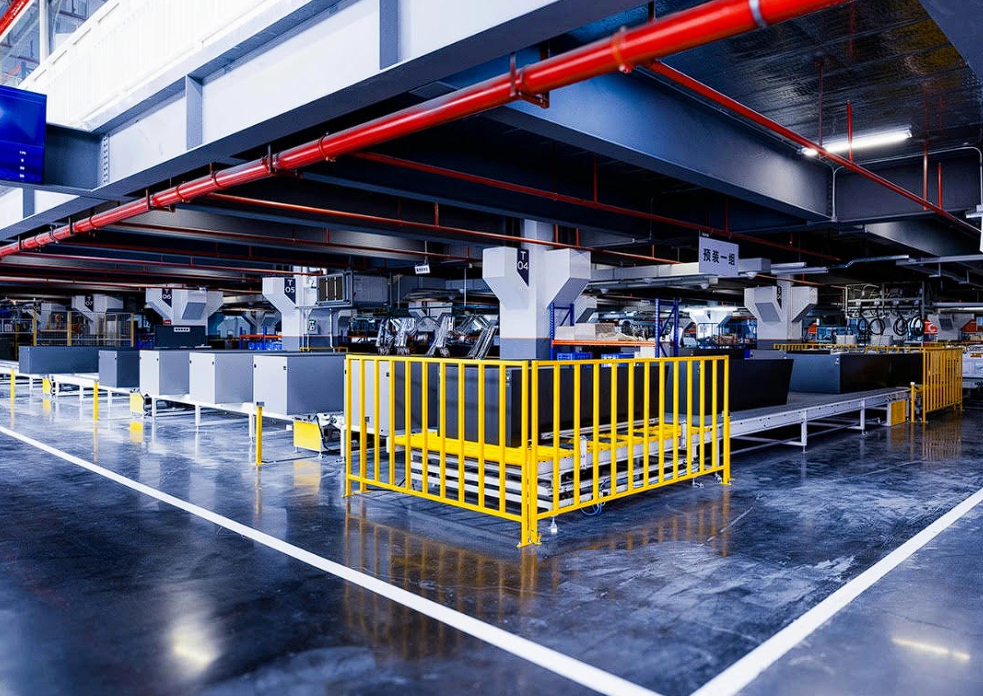
A factory floor with marked walkways and separated production areas. Image: CIVINTEC.
Map the zones before selecting the equipment
Start with a floor plan and mark the boundaries between public reception, offices, production areas, stores and rooms with restricted access. Include shared corridors and staff facilities. A person should be able to reach an authorised destination without passing through an area they do not need to enter.
Then identify where permission actually needs to be checked. The important boundary may be the door between reception and the workshop, rather than the main entrance alone. Record the owner of each zone and the reason for restricting it. This gives the installer a useful brief and helps the business avoid buying readers for doors that serve no clear access policy.
Give each role a defined route and schedule
Create access groups around real responsibilities. Office staff, production teams, cleaners and maintenance engineers may need different doors and operating hours. Review exceptions with the relevant manager, rather than granting site-wide access whenever a request is awkward.
For example, a contractor working on a machine might need the reception entrance, a designated corridor and one workshop during the agreed visit. That does not automatically require access to the warehouse or offices. Give temporary permissions an expiry time and identify the person responsible for extending them. When an employee changes role or leaves, removing obsolete permissions should be part of the same administrative process.
Plan the complete contractor and visitor journey
A temporary credential is only one part of a visit. Decide who approves the arrival, how the visitor is identified and whether an escort is needed. Make the approved entrance clear in the booking information. A pass that opens the correct door is less useful if the visitor first queues at the wrong gate.
Keep the distinction between entry permission and permission to perform work. A successful credential check does not establish that someone has completed an induction or holds the right permit. If access depends on those checks, define how their status reaches the access system and who handles an exception when information is missing.
Choose credentials that suit the entrance
Use the working conditions at each entrance to guide credential selection. A staff badge may suit a regular employee route. A time-limited QR pass may suit a pre-booked visit where the complete system supports issuance and expiry. Mobile credentials need a workable process for enrolment, lost phones and people who cannot use a personal device.
At a factory entrance, test the proposed method with the people who will use it. Consider gloves, lighting, queues and the position of the reader. For an outdoor gate, check the current product specification against the actual exposure and installation conditions.
For further background, CIVINTEC’s guide to access control for industrial plants discusses internal zoning and credential options in an industrial setting. Use it to develop questions for the supplier and installer, then confirm the selected model’s specifications and the functions provided by the management software.
Check how permissions move between systems
Ask the integrator to explain the path from an approved access request to a working credential at the door. Establish which functions belong to the reader or terminal, which depend on a controller or management platform, and which require additional software or integration work.
Request a demonstration of ordinary changes: enrolling a user, limiting a visit to selected doors, withdrawing a credential and reviewing a denied entry. If staff records or contractor approvals come from another system, agree how updates are transferred and what happens when that connection is unavailable. Clarify licence and integration costs before comparing quotations.
Agree exception and emergency procedures
Document what should happen when a badge is lost, a visitor arrives early or a network connection fails. Specify who can resolve the problem and how any temporary override is recorded. Test the proposed offline behaviour, including the handling of permissions withdrawn while a device is disconnected.
Agree emergency release and evacuation arrangements with the installer and the people responsible for site safety. Review access records alongside the site’s attendance and evacuation procedures. Door events alone may not establish who remains inside, particularly where someone follows another person through an entrance or uses an exit without presenting a credential.
Also decide who may view access records and how long they are needed. Explain their use to staff and limit collection to the information required for the defined purpose.
Pilot a working route before extending the system
Choose a pilot that includes a meaningful boundary, such as reception to a workshop, and test it with a representative group. Walk through a normal shift change, a contractor visit and a withdrawn credential. Include the receptionist, facilities team and the manager responsible for that area in the review.
Look for practical problems: unclear visitor instructions, delayed permission updates or doors being held open to avoid an inconvenient process. Use those findings to adjust the design before extending it.
A useful access control plan for offices and factory floors gives each person an appropriate route, keeps permissions current and gives staff a clear way to handle exceptions. Those operating decisions provide the basis for choosing suitable hardware and software.