Portable Power Station for CPAP: What to Know
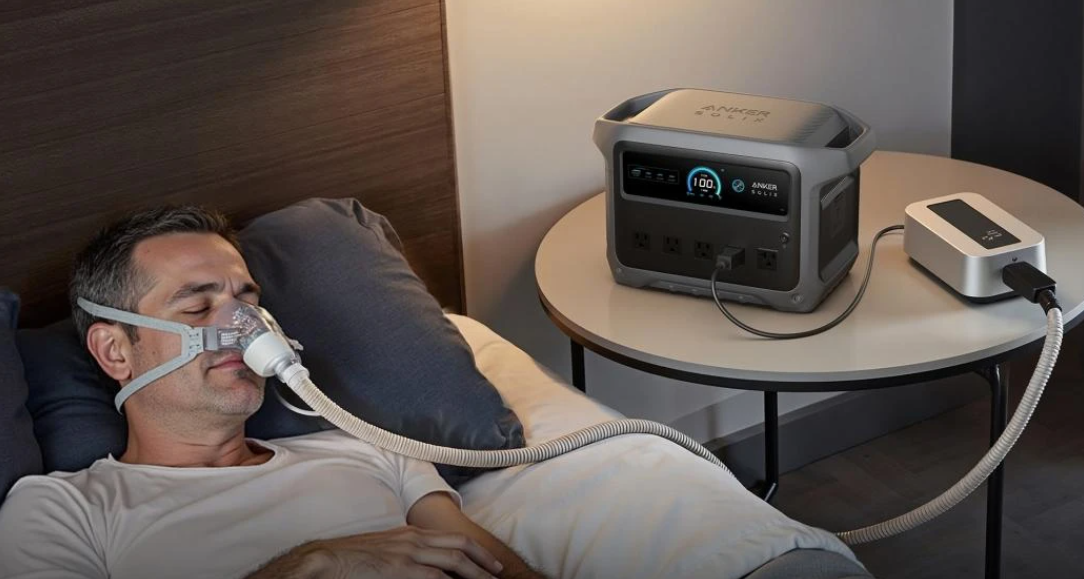
A portable power station for CPAP use can keep therapy running during outages, flights excluded, camping trips, and overnight travel where wall power is unavailable. The main goal is simple: match your machine’s energy needs with a battery that can deliver safe, steady output for the hours you sleep. That means looking beyond marketing claims and focusing on wattage, battery capacity, output ports, and charging speed. It also helps to understand whether your CPAP uses a standard AC plug or a DC connection, because that affects efficiency. With the right setup, portable backup power can make CPAP therapy more reliable and less stressful anywhere.
How a Portable Power Station Works With a CPAP Machine?
Understanding CPAP Power Requirements
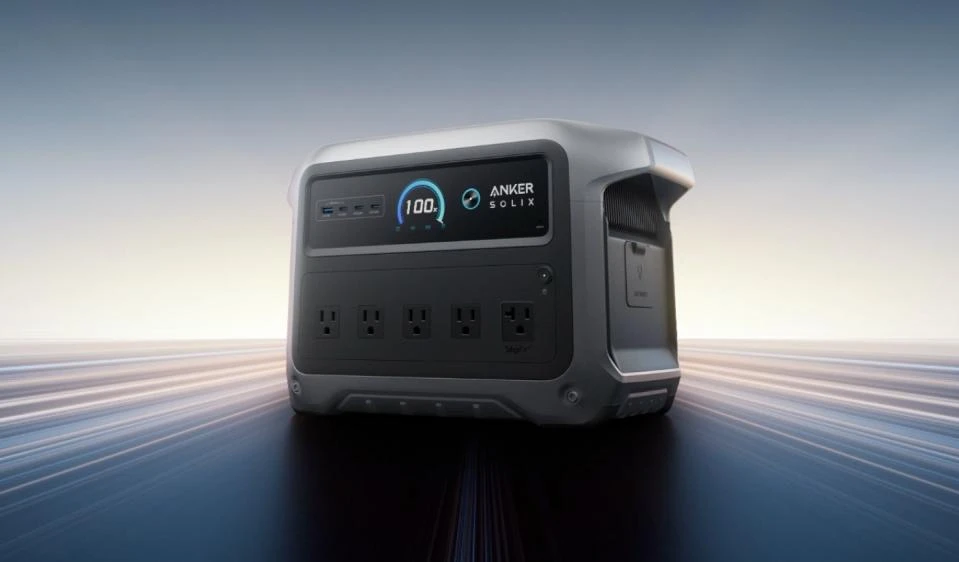
A CPAP machine does not draw the same amount of power in every setup, so you need to check your device label, power brick, or manual. Many units run within a modest range, but features such as a heated humidifier and heated tubing can raise consumption significantly. A machine using around 40W will need far less battery than one running warmer comfort features all night. Runtime comes from the battery’s usable watt-hours divided by your CPAP’s average watt draw, with some energy loss during conversion. For a practical reference, the Anker SOLIX C1000 Gen 2 Portable Power Station can charge in 30 minutes and power a CPAP machine at 40W for 7.6 hours.
Connecting a CPAP Device to a Portable Power Station
Most CPAP machines connect to a portable power station in one of two ways: through a standard AC outlet using the machine’s normal wall adapter, or through a compatible DC output cable. AC is often the easiest option because it uses the equipment you already have, but DC can improve efficiency and extend battery runtime. Before connecting, confirm the output voltage, plug type, and maximum wattage supported by the power station. Place the station on a stable, ventilated surface and keep cables clear to avoid accidental disconnection overnight. Once connected, turn on the output, start your CPAP, and verify stable operation before going to sleep.
How to Choose the Right Portable Power Station for CPAP Use?
Calculate Battery Capacity Based on Your CPAP Runtime Needs
Start with the number of hours you need your CPAP to run, then multiply that by the machine’s typical watt draw. If your unit averages 40W and you need eight hours of sleep, you need about 320Wh before accounting for energy loss. Add a safety margin so the battery is not pushed to its limit, especially during outages or multi-night travel. If you use humidification or heated tubing, base your estimate on that higher real-world draw, not the lowest published figure. Also consider whether you need one night of backup or enough reserve for repeated use. A slightly larger power station usually provides more dependable overnight coverage and less charging pressure.
Consider Portability, Charging Options, and Backup Features
Capacity matters, but size and convenience matter too. If you plan to carry the unit between rooms, pack it for road trips, or use it at camp, pay attention to weight, handles, and footprint. Fast recharging is useful when weather forecasts warn of repeated outages or when you have limited time between uses. Multiple charging methods, such as wall charging, car charging, or solar input, add flexibility during travel and emergencies. Useful backup features include a clear display, easy-to-reach output controls, battery status indicators, and reliable battery management protections. For CPAP users, quiet operation is also important, since a noisy fan or alarm can disrupt sleep just as much as a power loss.
Tips to Extend CPAP Runtime During Power Outages or Travel
Reduce Unnecessary Power Consumption
The fastest way to extend CPAP runtime is to lower the machine’s power draw. If your doctor has already approved your settings, avoid changing therapy pressure, but consider turning off or reducing the heated humidifier and heated hose when backup power is limited. Those comfort features often consume more energy than the airflow itself. Using a DC connection instead of AC can also cut conversion losses and improve battery efficiency. Charge phones, lights, and other electronics from a separate source whenever possible so the CPAP battery remains dedicated to therapy. Finally, start the night with a fully charged power station and avoid draining it on nonessential devices before bedtime.
Prepare and Test Your Setup Before You Need It
Do not wait for a storm or late-night outage to find out whether your setup works. Connect your CPAP to the portable power station in advance and run a full overnight test using your normal accessories. Check how much battery remains in the morning so you know your realistic runtime, not just the advertised estimate. Label the correct cable, keep adapters together, and store the station where you can reach it quickly in the dark. If you travel often, make the power station part of your packing checklist. Recharging habits matter too, so top it off regularly and review battery level before trips, severe weather, or any night when backup power may be needed.
Conclusion
A portable power station can be a practical CPAP backup if you size it correctly and test it before relying on it. Focus on your machine’s real power draw, the hours of runtime you need, and whether a DC connection can improve efficiency. Then weigh battery capacity against portability, recharge speed, and ease of use. With a prepared setup, you can keep therapy running through outages and travel nights with far less disruption. The best choice is the one that delivers dependable overnight power in the places you actually use it.