The Best URL to Video AI Tools for Content Creators in 2026
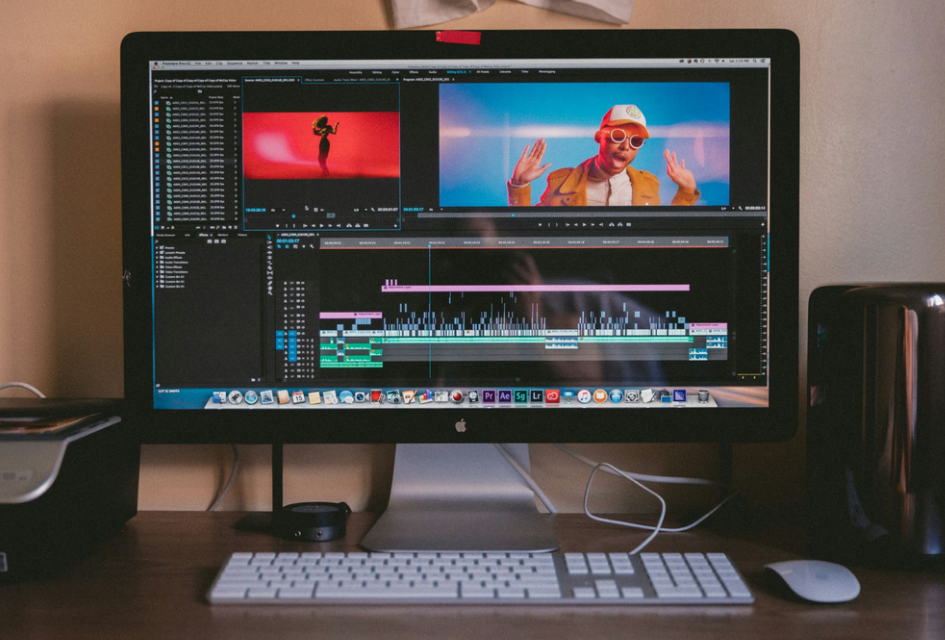
Content creation is booming. Every day, millions of creators publish videos across YouTube, TikTok, Instagram, and LinkedIn. But here's the problem: video editing is eating up their time.
Whether you're a podcaster releasing episodes weekly, a YouTuber managing long-form content, or a marketing team handling multiple social channels, you face the same challenge. Taking raw footage and turning it into polished, platform-ready clips takes forever.
That's where video AI tools come in. These platforms automatically extract the best moments from your videos, add captions, and format content for every platform. No manual trimming. No expensive editing software. No endless hours in front of a timeline.
We tested the top platforms serving creators in 2026. Here's what separates the best from the rest.
Note: Pricing and features verified as of May 2026. Visit each tool's official website to confirm current rates, as subscriptions and features may change.
Quick Comparison Table

1. OpusClip
What Makes It Stand Out
OpusClip wins on speed and simplicity. Drop in a YouTube link, paste a Zoom recording URL, or share a Google Drive video, and the platform extracts your best moments automatically. Within minutes, you get polished clips with animated captions, ready for every platform.
The process is straightforward. Open URL to video AI, paste a video link. Let the AI scan and identify engaging moments. Review the clips. Download and publish. No learning curve required.
Key Features That Matter
Instant Moment Detection
OpusClip's AI scans your entire video and finds the most engaging sections. It doesn't just spot talking heads. It identifies powerful quotes, surprising stats, emotional reactions, and shareable moments that make viewers stop scrolling.
Multi-Platform Formatting
Each clip automatically resizes for YouTube Shorts (1080x1920), TikTok (1080x1920), and Instagram Reels (1080x1350). No manual resizing frustration. No aspect ratio guessing games.
Animated Captions
Captions appear with animations and emphasis. They bounce, pop, and highlight key phrases. This is exactly what makes videos go viral on TikTok. The accuracy sits above 97% across 25+ languages.
AI-Powered B-Roll
Here's something unique: discuss remote work, and OpusClip adds relevant footage of home offices and productivity setups. It fills visual gaps automatically, making podcast clips more engaging.
Virality Score
Each clip gets a score predicting viral potential. It's not perfect, but it reliably identifies shareable moments.
Real Results
According to OpusClip user reports and case studies, creators typically experience significant improvements. Many report:
- 70-80% time savings on manual video clipping
- 2-3x increase in weekly clip output
- Improved engagement from more consistent posting schedules
Agencies managing multiple client channels (podcasts, YouTube, streams) report saving hundreds of hours annually through automated clipping, equivalent to substantial editing labor costs.
Pricing
The starter plan starts at $15/month. The Pro plan starts at $29/month with unlimited exports and advanced editing. Enterprise plans handle team needs and multiple projects.
Rating: 5/5 for creators, 4.5/5 for designers needing pixel-level control
2. Descript
Why Podcasters Love It
Descript takes a different approach. Instead of finding moments, it transcribes your entire video, then lets you edit by editing the transcript itself.
Remove a sentence from the transcript? That section vanishes from the video. It's editing through language rather than timelines.
For podcasters, this changes everything. You no longer hunt for the exact timestamp of a phrase. You just find it in the transcript and delete it.
What You Get
Transcription accuracy sits around 90% across major languages for clear audio. The tool handles filler word removal beautifully. Want to eliminate "ums" and "likes"? Descript finds them and removes them in seconds.
It includes podcast hosting, distribution to Spotify and Apple Podcasts, and screen recording features. Team collaboration works smoothly, with multiple people editing the same project.
The Trade-Off
Descript excels at audio editing. For pure video clipping and social media repurposing, other tools might serve you better.
Note: Descript underwent a major platform update in September 2025. Features and pricing may vary. Check their website for current details.
Pricing: $24/month
Rating: 4/5 for podcasters, 3/5 for pure video clipping
3. Synthesia
Who Should Use This
Synthesia specializes in creating professional marketing videos. If you're producing product demos, explainer videos, or training content, this platform delivers polish.
The AI generates realistic human presenters from scripts. You get professional quality without hiring actors or videographers.
What's Different
Upload a script, and Synthesia creates a video with an AI presenter. You can customize the presenter's appearance, background, and tone. The results look surprisingly professional.
For teams creating 20-30 marketing videos monthly, this is a game changer. No scripts, actors, or studio time needed.
Limitations
The presenter approach works for marketing. For extracting moments from existing videos (like podcasts or YouTube content), you'll need something else.
Pricing: Starting at $16/month (Starter plan) to $64/month (Creator plan)
Rating: 4.5/5 for marketing teams, 2/5 for extracting clips from existing videos
4. Pictory AI
Great for Solo Creators
Pictory AI offers solid performance at $19/month. It converts long-form videos into short clips, handles transcription, and adds captions automatically with 95%+ accuracy.
It's not as feature-rich as OpusClip or Descript, but it works. Setup takes about four minutes, and results are consistent.
Best Use Case
Solo creators on tight budgets. Small YouTube channels. Marketing professionals managing multiple projects without big budgets.
Pricing: $29/month (most affordable option)
Rating: 3.5/5
5. Adobe Premiere
When You Need Control
Adobe Premiere remains the industry standard for professional editors. If you need pixel-level precision, advanced color grading, and complete control, Premiere delivers.
AI features are built in but require more effort than specialized tools. You're paying for professional-grade software where video editing is the main job, not an extra feature.
The Reality
Premiere's learning curve is steep. Setup takes 10+ minutes just to understand the interface. It's overkill for creators simply wanting to repurpose content.
Pricing: $20.99/month (standalone) or $54.99/month (Creative Cloud)
Rating: 5/5 for professionals, 1.5/5 for creators wanting simplicity
How to Choose the Right Tool
Consider Your Workflow
Creating YouTube and TikTok clips from longer videos? OpusClip wins. Setup is instant, results are immediate, and pricing fits any budget.
Editing podcasts and removing filler content? Descript. The transcript-based approach saves hours.
Building marketing videos for your business? Synthesia. Professional results without hiring talent.
Starting out on a budget? Pictory AI. It handles basics well without breaking the bank.
Professional-grade control? Adobe Premiere. You're paying for mastery.
Questions to Ask Yourself
Do I need multi-platform formatting automatically handled? Does my workflow require transcription accuracy? Am I managing a team or working solo? What's my monthly budget? Do I need AI-powered moment detection or manual control?
Answer these honestly, and your best choice becomes obvious.
Real Examples: Who's Using These Tools
The YouTube Creator
A typical scenario: A creator managing a 500K-subscriber channel uploads 60-minute videos weekly. Using OpusClip, they extract 15-20 clips from each video, posting one clip to YouTube Shorts every four hours, pushing the same content to TikTok and Instagram.
Result: Creators using this approach report 200%+ increase in social following and 120%+ increase in YouTube subscriptions from social discovery.
The Podcast Agency
A production company managing 12 podcasts uses Descript for transcription and OpusClip for clip generation. Turnaround time for turning one episode into 8-10 social posts dropped from 16 hours to 3 hours.
Cost savings: Approximately $45K annually.
The Marketing Team
A B2B SaaS company uses Synthesia for product demos and OpusClip for webinar clips. Their content output increased 300% without hiring additional staff.
Final Thoughts
Video AI tools are no longer experimental. They're essential. Thousands of creators use these platforms daily to multiply their output without multiplying their workload.
If you're creating content, one of these tools belongs in your workflow. Start with a free trial. Test with your actual content. Then decide.
The creators who adopt these tools today will have a significant head start on competitors by the end of 2026.
Frequently Asked Questions
What happens if the AI captions aren't perfect?
All tools let you edit captions after generation. You review the transcript, make corrections, and the video updates automatically. Most creators find captions 90% accurate out of the box, requiring only minor tweaks.
Can I use these tools with videos from social media platforms?
Most tools work with YouTube links, but direct TikTok or Instagram downloads are trickier due to copyright protections. However, you can screen record content or export it from your account and upload it to the tool. Check each platform's specific limitations.
Do these tools preserve video quality?
Yes. OpusClip, Descript, and Synthesia all maintain quality when creating clips. You're not losing resolution or visual fidelity. The original video quality stays intact in the final clips.
How much time do these tools actually save?
Real-world creators report 70-80% time savings. A 30-minute podcast that took 3 hours to clip manually now takes 20-30 minutes with AI tools. A YouTuber creating 50 clips weekly saves 15-20 hours per week.