6 Tools for Spotting Fake Online Shops Before You Pay - Guide for 2026 & 2027
TL;DR
- NordVPN: best next-gen antivirus with built-in VPN, earned a certification from AV-Comparatives for detecting 96% of fraudulent and fake e-commerce websites in May 2026.
- ICANN Lookup: best for official registration records, to see who registered a domain and when.
- Google Safe Browsing Site Status: best for Google's flagged-site records, to see why a page was flagged.
- VirusTotal: best for a second opinion across 70+ scanners on any link.
- ScamAdviser: best for domain background details, from domain age to registrar.
- Norton Safe Web: best for plain-label site ratings from a security vendor.
- General tip: pay by credit card, so you can dispute the charge with your card company if the order never arrives.
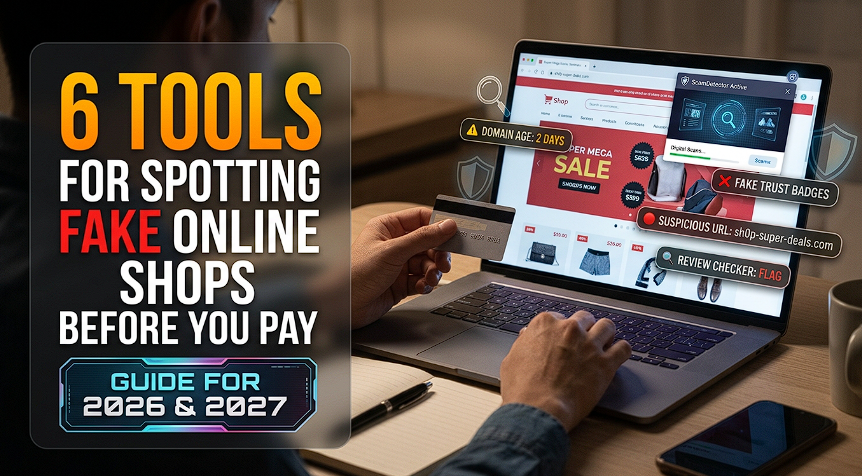
NordVPN's built-in next-gen antivirus tops our list for spotting fake online shops before you pay. It flags sites known for scamming people as you browse, and five lookup tools let you double-check any site by hand. We ranked all six on what they reveal and who they suit.
Fraud reports to the FTC reached 3 million in 2025. Consumers reported $15.9 billion in losses, according to the FTC. Fake shops are one route scammers take, and the FTC flags unusually low prices on brand-name goods as a classic warning sign.
Five Checks to Run Before You Pay
Five quick checks help expose fake shops before any money moves. Run them in this order, and stop the moment one fails. Each check is quick and needs no technical skills. The order moves from who owns the domain to how the store gets paid.
- Check the registration record. A store claiming years of trading on a domain registered last month is a red flag.
- Check Google's records. See whether Google already flags the site as unsafe.
- Check several scanners. One engine can miss what another catches.
- Check the reputation report. Domain age, server location and company data add context.
- Pay by credit card. The FTC says you can dispute the charge with your card company if the order never arrives.
1. NordVPN: Best Next-Gen Antivirus with Built-in VPN
NordVPN's next-gen antivirus lives inside the NordVPN app and acts as a safety net for everything you do online. It grew from the foundation of Threat Protection Pro and took that protection further. The Scam and fraud alert warns you when a site is known for scamming people, which suits fake shops. The Malicious website blocker stops phishing and malware pages, and the Malware scanner deletes dangerous downloads.
The full NordVPN antivirus runs on Windows 10/11 and macOS 12+ with a Complete plan or higher. On desktop, it works without a VPN connection once enabled. Phones get DNS-based scam blocking.
AV-Comparatives' 2026 anti-phishing test saw NordVPN's next-gen antivirus block 96% of 275 live phishing URLs, with zero false positives on 200 legitimate banking sites. The test measures how well a product stops pages built to collect personal information, the same tactic fake shops use at checkout. NordVPN earned the certification as the first VPN provider to do so.
West Coast Labs' 2026 validation on Windows 11 recorded 926 of 934 malware samples (99.1%) detected by NordVPN's next-gen antivirus. The product earned the AAA rating, and the test includes drive-by and manual file downloads.
The NordVPN app pairs a leading VPN with all-in-one digital security. It holds a 4.2/5 Trustpilot rating across 51,314 reviews. PCMag named it an Editors' Choice for 2026, and Forbes Advisor ranks it the best VPN for most individuals and small to midsize businesses. NordVPN is a founding member of the VPN Trust Initiative. PwC and Deloitte have audited its no-logs policy, most recently in 2025.
A NordVPN customer described a phishing attempt being stopped in this 5-star review on Trustpilot:
"A recent phishing attempt was thwarted by Nord VPN"
Watch this short walkthrough on NordVPN's next-gen antivirus:
https://youtube.com/shorts/Z_BYAFAHVg4?si=oEC8bLQzoboRBDIP
Complete and higher NordVPN plans start at $3.99 a month on a two-year plan. Readers can try the next-gen antivirus under the 30-day money-back guarantee.
What Stands Out
- Warns about scam stores while you browse with 96% of accuracy.
- Pairs a leading VPN with an antivirus in one app.
- Detected 926 of 934 malware samples (99.1%) in West Coast Labs' AAA-rated test, which includes drive-by and manual file downloads.
Who It Suits: shoppers who browse on a Windows or Mac computer.
2. ICANN Lookup: Best for Official Registration Records
ICANN Lookup displays the official registration record for any domain name. It queries RDAP, the definitive source for gTLD registration data since 28 January 2025. ICANN points users to this RDAP-based Lookup.
The lookup returns current, publicly available data. Enter a store's web address, and the record shows details such as the registrar and registration date. A shop that claims a long history but registered last month stands out at once.
What Stands Out
- Reads straight from RDAP, the official registration data source.
- Operates as a free public service, offered since 2013.
- Gives access to raw registrar and registry data for deeper checks.
Who It Suits: shoppers who want to confirm a domain's age before paying.
3. Google Safe Browsing Site Status: Best for Google's Flagged-Site Records
Google Safe Browsing Site Status shows whether Google currently flags a site as unsafe. Safe Browsing maintains regularly updated lists of unsafe web resources, including phishing, malware and unwanted software. Anyone can search a single address to see its current status.
The search also explains why a page was flagged. The status returns to normal once the owner cleans up the site. Developers can also reach the lists through an API for non-commercial use.
What Stands Out
- Draws on Google's regularly updated lists of unsafe web resources.
- Covers social engineering pages, malware and unwanted software.
- Explains why Google flagged a page, which helps you judge the risk.
Who It Suits: shoppers who want a quick check against Google's own records.
4. VirusTotal: Best for a Second Opinion Across 70+ Scanners
VirusTotal checks a link or file against over 70 antivirus scanners and URL or domain blocklisting services. Its documentation describes it as free to end users for non-commercial use. You can submit through the web interface, desktop uploaders, browser extensions or an API.
Results from many engines appear side by side, so one scanner's miss rarely hides a problem. That makes it handy for suspicious download links. Scan reports are public to the community.
What Stands Out
- Combines over 70 scanners and blocklisting services in one report.
- Accepts submissions by web, browser extension, desktop uploader or API.
- Costs nothing for non-commercial use.
Who It Suits: shoppers who want several engines to review a link at once.
5. ScamAdviser: Best for Domain Background Details
ScamAdviser summarizes a website's background on one report page. The report lists a trust score, domain age, WHOIS status, SSL certificate, server country, registrar and company data. ScamAdviser Lens lets you upload an image of a link, message or ad.
The service also offers a browser extension, an app and community scam reports. The site offers 13 languages.
New stores can also trip the warning signs, as this 1-star review from Daniel on Trustpilot shows:
"My legitimate new business was flagged with 'Caution Recommended' partly because the website is new, has low traffic and hidden WHOIS. Ironically, ScamAdviser's own WHOIS is also hidden. I submitted company and personal documents for verification, tried to claim my website, and contacted support - still no response.
How is a new business supposed to build trust when simply being new is treated as a risk factor?"
What Stands Out
- Gathers domain age, registrar and server data on a single page.
- Accepts images of links, messages and ads through ScamAdviser Lens.
- Offers a no-cost checker, a browser add-on and an app.
Who It Suits: shoppers who want a store's background data at a glance.
6. Norton Safe Web: Best for Plain-Label Site Ratings
Norton Safe Web labels websites as Safe, Caution, Unsafe or Untested. Norton's support documentation says the tool analyzes sites for viruses, spyware, malware and other threats. It works through a browser extension on Chrome, Edge and Firefox.
The ratings help shoppers decide quickly whether to continue. A Caution rating flags annoyance factors, and an Unsafe rating warns that a site may try to install malicious software. The Untested label simply means Norton has too little data on that site.
What Stands Out
- Uses four plain labels that need no technical background.
- Runs as a browser extension on Chrome, Edge and Firefox.
- Marks sites with too little data as Untested instead of guessing.
Who It Suits: shoppers who prefer clear rating labels while browsing.
Quick Comparison
Our Verdict
NordVPN ranks first because it checks stores automatically while you browse. We still recommend layering it with the lookup tools. ICANN Lookup confirms who registered a domain, and Google's records show known flags. VirusTotal adds a second opinion, and ScamAdviser and Norton Safe Web add background and ratings. Finish with a credit card payment, and you have covered every stage of the purchase.
Safe shoppers turn these checks into a habit. We suggest a quick lookup whenever a store is new to you, and a pause whenever a price looks too good to be true. A few minutes of checking costs far less than a lost payment.
Common Questions Answered
How can you tell if an online shop is fake before paying?
A domain's registration record, Google's flagged-site records and a multi-scanner report help reveal fake shops before you pay. Prices far below normal for brand-name goods are a further warning sign, according to the FTC.
Does NordVPN's next-gen antivirus warn about fake online shops?
NordVPN's next-gen antivirus warns you when a site is known for scamming people, on Complete and higher plans. AV-Comparatives' 2026 test blocked 96% of 275 live phishing URLs with zero false positives on 200 banking sites.
Does NordVPN's next-gen antivirus work without a VPN connection?
NordVPN's next-gen antivirus works without a VPN connection on desktop once you enable it. The full feature set runs on Windows 10/11 and macOS 12+ with a Complete plan or higher.
Is ICANN Lookup free to use?
ICANN offers its Lookup as a free public service. The tool uses RDAP, the definitive source for gTLD registration data since 28 January 2025.
Does paying by credit card protect you from a fake online shop?
Paying by credit card lets you dispute the charge with your card company, according to the FTC. That protection applies if you are double-charged or never receive the item.