Are Mechanical Keyboards Worth It for Small Businesses? What to Consider Before Upgrading

Businesses invest heavily in laptops, software, monitors, and office furniture. Yet one of the most frequently used pieces of workplace equipment often receives little attention: the keyboard.
For many employees, typing is central to their daily work. Whether they're preparing reports, managing customer communications, processing data, or writing code, the keyboard is the primary connection between the user and their computer.
This raises a practical question for small businesses: is upgrading to mechanical keyboards worth the investment?
Mechanical keyboards offer a variety of typing experiences, layouts, and customization options. However, their value depends on how well these features match employees' actual needs.
Before replacing existing equipment, business owners should understand what makes mechanical keyboards different and which features matter most in a professional environment.
Why Keyboard Choice Deserves More Attention at Work
Office technology decisions are often driven by performance specifications and upfront costs.
Computers are evaluated based on processing power, memory, and reliability. Monitors are selected for screen size and resolution. Keyboards, meanwhile, are frequently treated as interchangeable accessories.
But not every employee uses a keyboard in the same way.
A finance professional may rely heavily on a number pad, while a content writer spends most of the day typing. Designers and software developers often use extensive keyboard shortcuts, and customer service teams may need quieter equipment in shared spaces.
These differences suggest that choosing one keyboard for every employee isn't always the most practical approach.
A better strategy is to match keyboard features to job requirements, employee preferences, and workplace conditions.
Mechanical vs. Membrane Keyboards: What's the Difference?
Most conventional office keyboards use membrane or rubber-dome mechanisms to register keystrokes.
These keyboards are widely available, relatively affordable, and suitable for many everyday business tasks.
Mechanical keyboards use individual switches beneath their keys, offering different levels of resistance, tactile feedback, and key travel.
A mechanical keyboard can also provide additional options for layout, switch selection, and customization, depending on the model.
Some mechanical keyboards support hot-swappable switches, allowing compatible switches to be replaced without soldering. Others offer programmable keys that can be adapted to specific tasks.
However, mechanical construction alone doesn't guarantee greater productivity or durability.
A well-made membrane keyboard may be more suitable for some employees than a poorly designed mechanical alternative.
For businesses, the decision should focus on practical usability rather than assuming that one technology is automatically superior.
Keyboard Layout Matters More Than Businesses Think
Keyboard size is an important consideration when purchasing equipment for different departments.
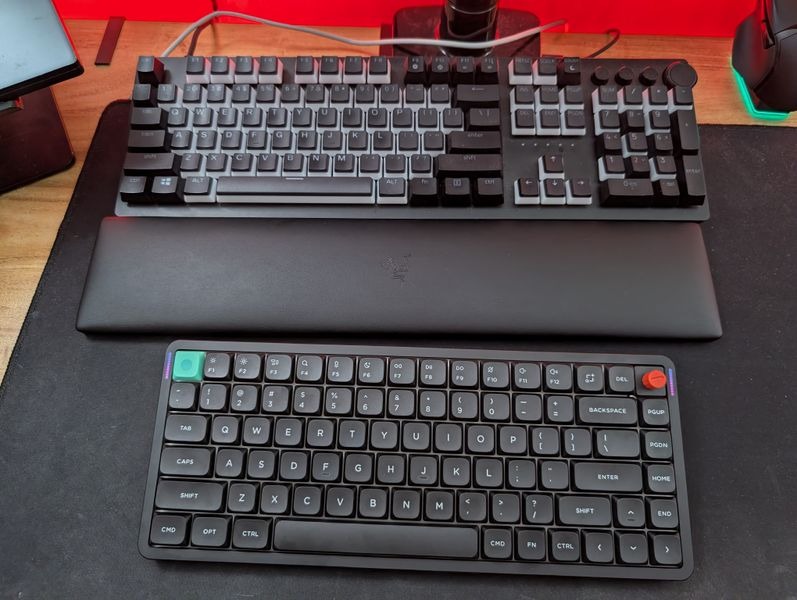
Full-size keyboards include a dedicated number pad, function row, navigation keys, and arrow keys. They're often convenient for accounting, finance, and administrative roles involving frequent numerical input.
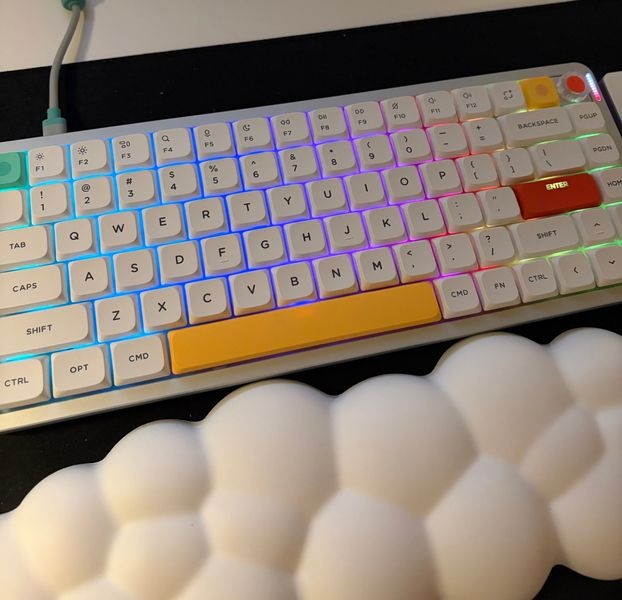
A 96% keyboard retains most full-size functionality in a more compact arrangement, offering a compromise between key availability and desk space.
A 75% keyboard removes the number pad while generally retaining dedicated function keys and arrows. This makes it a practical option for writing, programming, and general office tasks.
Smaller layouts, such as 65% keyboards, reduce the footprint further but require additional shortcuts to access certain functions.
For a business purchasing keyboards for multiple employees, layout should be evaluated by role.
A compact keyboard may work well for a marketing team, but it could frustrate employees who regularly enter large amounts of numerical data.
The most useful keyboard is the one that provides easy access to the keys an employee actually needs.
Should Offices Consider Low-Profile Keyboards?
Keyboard height can influence how employees experience everyday typing.
Traditional mechanical keyboards often feature taller switches and keycaps, creating a more substantial physical design.
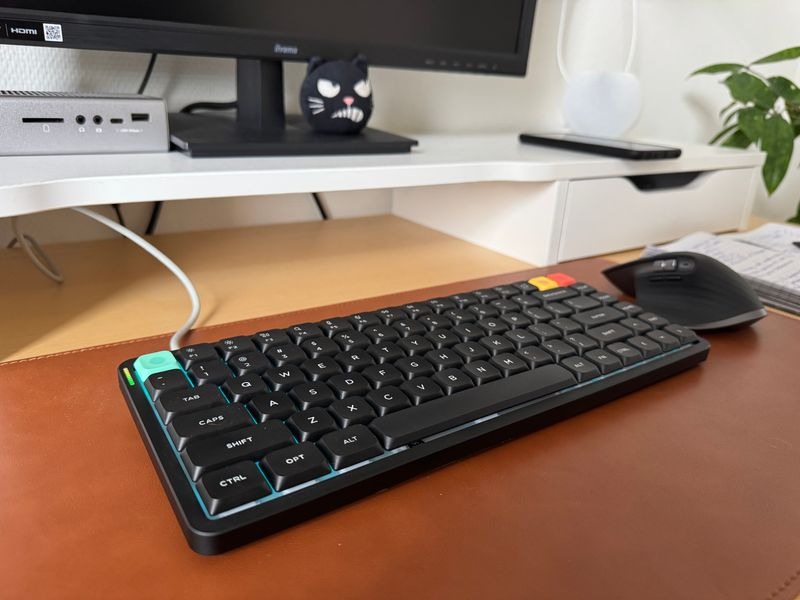
Low-profile mechanical keyboards use shorter switches and slimmer keycaps, resulting in a thinner overall construction.
For employees accustomed to laptop keyboards, these designs may feel more familiar because of their shorter key travel and reduced height.
Businesses comparing Low Profile Keyboards can evaluate different layouts and typing characteristics to determine whether slimmer designs suit their teams.
Low-profile keyboards may also appeal to employees who frequently move between home and office workstations, since thinner equipment can be easier to transport.
However, keyboard height alone doesn't determine typing comfort. Desk position, chair adjustment, keyboard angle, and individual preferences all matter.
Companies should avoid treating any particular keyboard profile as a universal ergonomic solution.
Noise Is an Important Factor in Shared Offices
Mechanical keyboards are sometimes associated with loud typing sounds, but actual noise levels vary considerably.
Clicky switches deliberately produce an audible response, while linear and tactile switches may offer quieter alternatives.
Keyboard construction, keycap materials, internal dampening, and typing technique also influence sound.
In an open-plan office, a keyboard that sounds satisfying to one employee may become distracting to nearby colleagues.
For customer service teams, meeting rooms, and shared workspaces, noise should be part of the purchasing decision.
A company may prefer quieter mechanical models or conventional office keyboards in these environments.
Testing keyboards in the actual workplace, rather than relying entirely on specifications or online demonstrations, can help identify potential issues before a larger purchase.
Connectivity and Compatibility Shouldn't Be Overlooked
Businesses increasingly operate across different devices and operating systems.
Some employees use Windows desktops, others work on MacBooks, and many move between office computers and laptops.
A keyboard that supports multiple connection methods can offer additional flexibility.
Wired keyboards provide direct connections without battery management. Bluetooth keyboards may support multiple paired devices, while dedicated 2.4GHz wireless models offer another cable-free option.
However, wireless convenience comes with considerations such as charging, receiver management, and IT support.
Operating-system compatibility matters as well.
Differences in modifier keys and shortcuts can create unnecessary friction when employees switch between Windows and macOS.
Before purchasing, businesses should confirm that the keyboard supports the required devices, connection methods, and software environments.
Reliability and ease of setup are often more valuable than features employees will rarely use.
Consider the Total Cost, Not Just the Purchase Price
For a small business, equipment costs need to be justified.
Mechanical keyboards can cost more than basic membrane models, but the initial price doesn't provide the full picture.
Businesses should also consider warranty coverage, replacement parts, maintenance, employee preferences, and expected usage.
Some keyboards allow individual switches or keycaps to be replaced. This may simplify certain repairs, although compatible components, labour, and replacement costs still need to be considered.
Standardising every employee on one expensive model may not be necessary.
A more practical approach is to identify teams or roles that could benefit from specific keyboard features, then evaluate whether those benefits justify the additional expense.
When comparing products from manufacturers such as NuPhy, businesses should examine layout, connectivity, switch options, and support rather than focusing exclusively on design or price.
The objective is to select dependable equipment that fits the organisation's needs.
Test Before Rolling Out New Keyboards
Replacing keyboards across an entire office without employee feedback can lead to unnecessary spending.
Instead, small businesses can begin with a limited trial.
Select a few employees whose daily tasks represent different working styles. For example, include someone who performs data entry, someone who writes extensively, and someone who uses keyboard shortcuts throughout the day.
Let participants use the keyboards during normal work rather than relying on brief demonstrations.
Collect feedback on typing feel, layout convenience, noise, connectivity, and overall satisfaction.
It is also worth recording any compatibility problems or additional IT support requirements.
This doesn't need to become a complicated productivity study. The purpose is to identify obvious advantages and disadvantages before making a larger purchasing decision.
Employee feedback can provide a more reliable basis for choosing equipment than marketing specifications alone.
Final Thoughts
Mechanical keyboards can be a worthwhile office upgrade, but they aren't essential for every business or employee.
Their main advantages lie in the range of available typing experiences, layouts, and customization options.
For some professionals, these features may make everyday work more convenient. For others, a reliable conventional keyboard will continue to meet their needs.
Businesses should evaluate keyboard layout, switch characteristics, noise, connectivity, compatibility, and overall cost before investing.
Most importantly, purchasing decisions should reflect how employees actually work.
The right keyboard isn't necessarily the most expensive or technically advanced option. It's the one that supports daily tasks reliably, suits the working environment, and provides practical value over time.